Guide 11 GrowSite upgrades
Social login: let customers sign in with Google or Apple
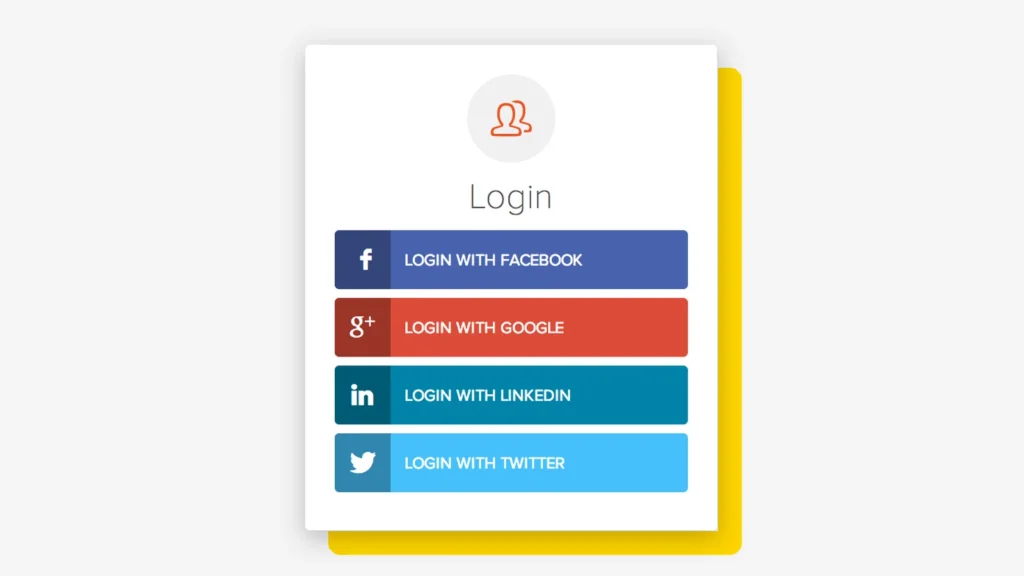
Social login lets customers sign in with an account they already have, like Google, Apple or Facebook. They don’t need a new password for your site. At the end of this guide, you’ll know why it helps, which buttons to offer, and which WordPress plugins do the job.
The cost is low. Good plugins have free versions, and Google and Facebook keys are free. Apple asks for a paid Apple Developer account, which is $99 USD a year at the time of writing.
Why social login beats a new password
Every “create an account” form is a small wall. Some people climb it, and some people leave. The numbers say more people leave than you’d hope:
<div class="ch">
  <p class="tabs" role="radiogroup" aria-label="Pick a chart">
    <input type="radio" name="c" id="c1" checked><label for="c1">Why shoppers leave checkout</label>
    <input type="radio" name="c" id="c2"><label for="c2">Password pain</label>
  </p>
  <ul class="bars b1">
    <li style="--v: 40" tabindex="0"><b>Extra costs too high</b><i></i><span>40%</span></li>
    <li style="--v: 20" tabindex="0"><b>Delivery too slow</b><i></i><span>20%</span></li>
    <li style="--v: 19" tabindex="0"><b>Didn't trust the site with card details</b><i></i><span>19%</span></li>
    <li class="hot" style="--v: 18" tabindex="0"><b>Site wanted me to create an account</b><i></i><span>18%</span></li>
    <li style="--v: 17" tabindex="0"><b>Checkout too long or complicated</b><i></i><span>17%</span></li>
    <li style="--v: 17" tabindex="0"><b>Website had errors or crashed</b><i></i><span>17%</span></li>
  </ul>
  <ul class="bars b2">
    <li class="hot" style="--v: 48" tabindex="0"><b>Gave up on an online purchase because they forgot a password</b><i></i><span>48%</span></li>
    <li style="--v: 36" tabindex="0"><b>Had an account broken into because of a weak or stolen password</b><i></i><span>36%</span></li>
  </ul>
  <p class="src s1">US online shoppers who left a checkout, Baymard Institute. Tap or hover a bar.</p>
  <p class="src s2">1,389 people in the US, UK, China, South Korea and Japan, FIDO Alliance, 2025.</p>
</div>
.ch { width: min(100%, 640px); }
.tabs { display: flex; flex-wrap: wrap; gap: 8px; margin: 0 0 16px; }
.tabs input { position: absolute; opacity: 0; }
.tabs label { padding: 8px 14px; border: 2px solid #171915; border-radius: 999px; background: #fff; cursor: pointer; font-size: 14px; }
.tabs input:checked + label { background: #171915; color: #fff; }
.tabs input:focus-visible + label { outline: 3px solid #5B4AE8; outline-offset: 2px; }
.bars { list-style: none; margin: 0; padding: 0; display: none; gap: 10px; }
.bars li { display: grid; grid-template-columns: 1fr 52px; gap: 2px 10px; align-items: center; cursor: default; outline: none; }
.bars b { grid-column: 1 / -1; font-weight: 500; font-size: 14px; color: #5C5E57; transition: color .2s; }
.bars i { height: 22px; border-radius: 6px; background: #C6C6C6; width: 0; transition: width .7s cubic-bezier(.22, 1, .36, 1), background .2s; }
.bars span { font: 700 15px "Space Mono", monospace; text-align: right; }
.bars .hot i { background: #FFD400; }
.bars .hot b { color: #171915; font-weight: 700; }
.bars li:is(:hover, :focus) i { background: #171915; }
.bars li:is(:hover, :focus) b { color: #171915; }
.ch:has(#c1:checked) .b1, .ch:has(#c2:checked) .b2 { display: grid; }
.ch:has(#c1:checked) .b1 i, .ch:has(#c2:checked) .b2 i { width: calc(var(--v) * 2%); }
.src { display: none; margin: 14px 0 0; font-size: 12px; color: #5C5E57; }
.ch:has(#c1:checked) .s1, .ch:has(#c2:checked) .s2 { display: block; }
@media (prefers-reduced-motion: reduce) { .bars i { transition: none; } }In Baymard’s research, 18% of US shoppers who left a checkout did so because the site wanted them to create an account. And in a 2025 FIDO Alliance survey, 48% said they had given up on an online purchase because they forgot a password.
- Faster sign-up. One tap instead of a form, a password and a confirmation email.
- Fewer forgotten passwords. Customers come back without a reset email.
- Real email addresses. The provider has already checked the email, so fewer typos and fake sign-ups.
- Less to protect. No password is stored on your site for these users, so there’s no password to leak.

Pick the buttons your customers use
More buttons isn’t better. Two or three is plenty, and I pick them by who your customers are:
- Google is the safe first choice. Most people have a Gmail or Google account.
- Apple matters if many visitors use an iPhone or Mac. Apple lets people hide their real email behind a private relay address, which still reaches them.
- Facebook suits shops with a Facebook audience, but some people don’t like to mix it with shopping.
My rule: always keep normal email login too. Some people don’t want to connect anything, and that’s fine. A login page that refuses them is just a new wall with a nicer paint job.
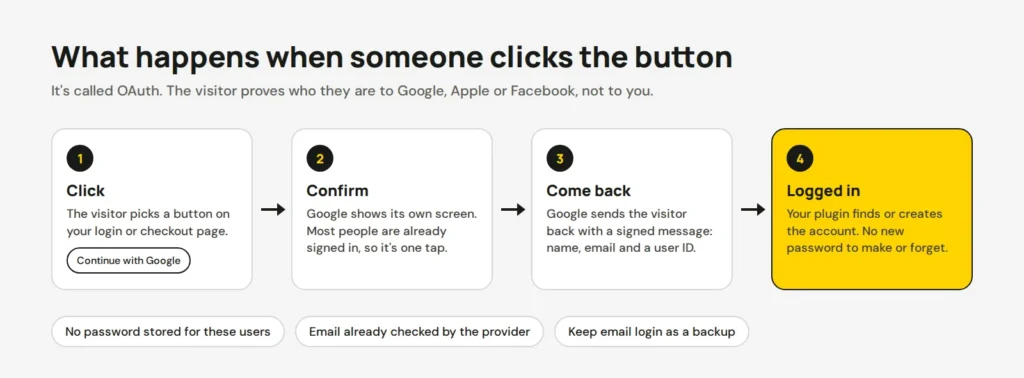
Add it to WordPress and WooCommerce
These are the plugins I look at first. Each one adds the buttons to your login and register pages, and some add them to checkout too.
Nextend Social Login
The most popular free option, with more than 200,000 active installs. The free version has Google, Facebook and X. Apple, more providers and WooCommerce support need the Pro add-on.
miniOrange Social Login
The free version supports many providers, including Google, Facebook, LinkedIn and Amazon, and shows the buttons on the WooCommerce login page. The premium version fills in the customer’s name and email at checkout.
Social Login for WooCommerce
The official extension from the WooCommerce marketplace, made by SkyVerge. It costs $99 a year and works with checkout blocks. It supports Google, Facebook, Amazon, PayPal and others, but not Apple.
See Social Login for WooCommerce
I set them up the same way with every plugin:
- Install the plugin and open its settings.
- Create an app with each provider. For Google, that’s a project with an OAuth client in the Google Cloud Console.
- Copy the redirect URL the plugin shows you into the provider’s settings. It must match exactly.
- Paste the client ID and secret from the provider into the plugin.
- Test with a fresh browser window, both as a new customer and as an existing one with the same email.
On Shopify, it’s already built in
Shopify’s customer accounts include social sign-in. Shopify’s help page says “your customers can sign in using their Google and Facebook accounts“. You turn it on in Settings → Customer accounts, with no app needed. Customers can also sign in with a one-time code by email, so no password at all.
Check privacy, then measure
Social login shares a name and email with your site, so tell people what you collect and why. Australia’s Privacy Act expects a collection notice, so add a short line under the buttons that links to your privacy policy. If you’re not sure what yours needs to say, check with an adviser.
After a month, compare new accounts and checkout completions with the month before. Also check that existing customers can still reach their old orders after linking a social account.
Want social login on your WordPress, WooCommerce or custom-built website, and some help? Contact us and we’ll set it up with you. You can also read more about our site updates service.
Opens in a new tab


Comments
No comments yet. Questions, fixes and better ways are all welcome.