You made a fix on one branch, and another branch needs it too. You don’t want the rest of the branch. git cherry-pick <commit> takes the changes from one commit and applies them as a new commit on your current branch. It doesn’t merge anything else. Switch to the branch that needs the change, find the commit’s hash, and cherry-pick it.
The basic steps
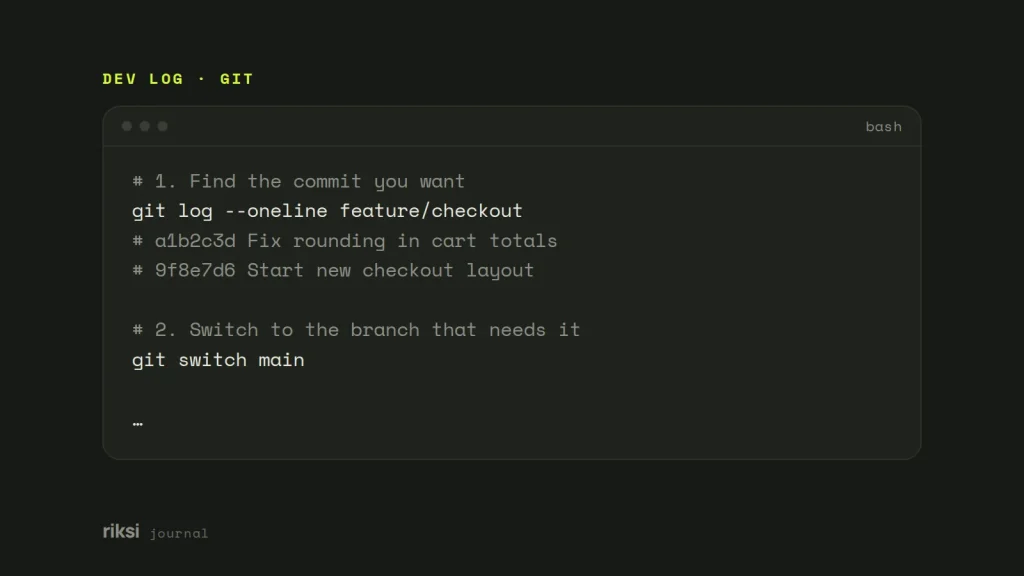
# 1. Find the commit you want
git log --oneline feature/checkout
# a1b2c3d Fix rounding in cart totals
# 9f8e7d6 Start new checkout layout

# 2. Switch to the branch that needs it
git switch main

# 3. Apply that one commit
git cherry-pick a1b2c3d
The result is a brand-new commit on main. It has the same changes and message, but a different hash. The original commit stays where it was. The author is kept, and you’re recorded as the committer. On older Git versions, git checkout main does the same job as git switch main. If uncommitted changes stop you switching, save your work with git stash first.
Sometimes you copy a fix between shared branches. For example, you might backport it, which means copying it to an older release branch. In that case, add -x. Git adds a line such as (cherry picked from commit a1b2c3d...) to the message, so anyone can trace where it came from. There’s no point adding it for commits from your own private branch, because nobody else can see the original. On shared branches, I add it every time. It’s two extra characters, and it saves someone a lot of detective work later.
Picking several commits
List the hashes, and Git applies them in the order you give.
git cherry-pick a1b2c3d e4f5a6bOr use a range. A..B means “the commits after A, up to and including B”. So A itself is left out. Add ^ to include it.
git cherry-pick 9f8e7d6..a1b2c3d     # excludes 9f8e7d6
git cherry-pick 9f8e7d6^..a1b2c3d    # includes 9f8e7d6
The first commit in the range must be older than the last. Want to squash the picked changes into one commit? Add -n (--no-commit). Git applies the changes to your working tree and staging area, and you commit once when you’re ready.
For more than a couple of commits, I’d use a new branch made from the destination. Do the work there, test it, and then merge it or open a pull request. If something goes wrong, the destination branch is untouched. Branches in Git are only names that point at commits, so an extra one costs nothing.
git switch -c hotfix/cart-rounding main
git cherry-pick 9f8e7d6^..a1b2c3d
# run the tests
git switch main
git merge hotfix/cart-rounding
Fix conflicts
The commit may depend on code that doesn’t exist on the target branch. Then Git stops and marks the conflicting files, like a merge does. Git isn’t being difficult here. It can’t apply a change to code that isn’t there. git status tells you a cherry-pick is in progress. From there you have three choices.
# Fix the files, then
git add path/to/file
git cherry-pick --continue

# Skip this commit and carry on with the rest of a sequence
git cherry-pick --skip

# Give up and return to where you started
git cherry-pick --abort
A conflict often means the commit relies on an earlier one you haven’t picked. Check the history of the original branch before you force it through.
Merge commits, and what is already picked
A merge commit has two parents, so Git needs to know which side to compare against. Git doesn’t have a favourite parent, so you have to name one. Use -m 1 to replay the changes against the first parent. That’s normally the branch that was merged into.
git cherry-pick -m 1 7c6b5a4Do you want to see which commits on a feature branch have not reached main yet? Use git cherry.
git cherry -v main feature/checkout
# + 9f8e7d6 Start new checkout layout
# - a1b2c3d Fix rounding in cart totals
A + means the change is not on main. A - means an equal change is already there, even though the hash is different.
When to cherry-pick, and when not to
I use cherry-pick for jobs like these.
- Shipping a hotfix from a development branch to production, without shipping everything else.
- Backporting a security fix to an older release branch.
- Saving one useful commit from a branch you’re abandoning.
- Moving a commit you made on the wrong branch. Cherry-pick it onto the right one. Then, if you haven’t pushed the wrong branch yet, remove it there with
git reset --keep HEAD~1. This keeps any uncommitted changes, and it stops instead of overwriting them.
In my view, it’s the wrong tool for bringing a whole branch across. Picking many commits creates copies with different hashes. That clutters the history, and it can cause conflicts when the branches are merged later. Use git merge or git rebase instead.
And to undo a commit that’s already on a shared branch, use git revert, not a cherry-pick.
Think of cherry-pick as a photocopier, not a delivery van. It copies a commit. It doesn’t move it.
Comments
No comments yet. Questions, fixes and better ways are all welcome.