Git stash: how to save work and switch branches
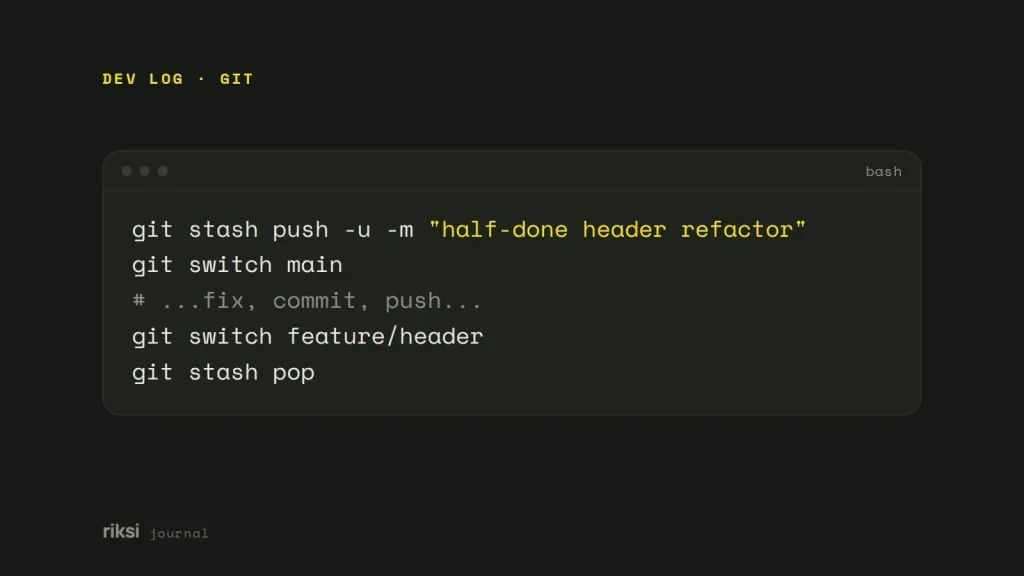
You’re in the middle of some changes and you need to switch branches now. git stash saves your uncommitted changes and resets your working tree (the files in your project folder) to the last commit. Then you can switch branches. git stash pop brings the changes back. Add -u if you’ve created new files, because a plain git stash leaves untracked files behind.
The everyday workflow
Say you’re halfway through a feature and an urgent fix comes in. You stash, switch, fix, and come back. It’s like putting half-finished work in a drawer. The desk is clear, and nothing is lost.
git stash push -u -m "half-done header refactor"
git switch main
# ...fix, commit, push...
git switch feature/header
git stash pop
git stash on its own is short for git stash push. It saves both staged and unstaged changes to tracked files. You don’t need to git add anything first. -u (--include-untracked) takes care of new files. I’d add it by default, because it’s easy to forget a new file.
-a (--all) goes further and includes ignored files too. You rarely want that when node_modules or vendor is ignored. The -m message is optional, but it makes the stash list easy to read a week later. I always name my stashes for that reason.
Stash only part of your work
# Only specific files
git stash push -m "debug logging" -- src/logger.js

# Only what is staged
git stash push --staged

# Everything except what is staged (handy for testing exactly what you are about to commit)
git stash push --keep-index

# Choose hunks interactively
git stash push -p
--staged is a newer option, so an old Git may not have it. Run git --version to see what you have.
See what’s in your stash
git stash list
# stash@{0}: On feature/header: half-done header refactor
# stash@{1}: WIP on main: 3f2c1ab Fix footer links

git stash show 1           # files changed in stash@{1}
git stash show -p 1        # the full diff
git stash show -u 0        # include untracked files in the summary
Stashes form a stack. The newest is always stash@{0}, and older ones move down as you add more. You can refer to a stash by its number alone, as above. This also saves you from quoting the braces in PowerShell. PowerShell reads curly braces as code of its own, so the fewer you type, the better.
Two things surprise people. First, the stash belongs to the whole repository, not to a branch. The label only records where each stash was made. You can apply it on any branch.
Second, stashes are local. git push never sends them. Git 2.51 added git stash export and git stash import to move stashes between machines. But a work-in-progress commit on a branch is usually easier.
pop, apply, drop and clear
| Command | Restores the changes | Removes the stash |
|---|---|---|
git stash pop |
Yes | Yes, if it applied without conflicts. |
git stash apply |
Yes | No. |
git stash drop 1 |
No | Yes, just that one. |
git stash clear |
No | Yes, all of them. |
I’d use apply when you want to try a stash on more than one branch. It’s also good when you want to be sure a stash works before you throw it away.
If pop hits a conflict, Git keeps the stash, so nothing is lost. Fix the conflicts and git add the files. Then remove the stash yourself with git stash drop. Yes, you have to tidy up yourself this time. Git is being careful with your work.
By default, changes you had staged come back unstaged. Add --index (git stash pop --index) to restore the staging area exactly as it was.
When things go wrong
The stash no longer applies cleanly
This happens when the branch has moved on. Turn the stash into its own branch instead.
git stash branch fix/header-refactor 0This creates a branch from the commit you were on when you stashed. It applies the stash there, where it can’t conflict, and then drops it. You can then merge or rebase that branch like any other.
You dropped a stash by mistake
When you drop a stash, Git prints its hash, for example Dropped refs/stash@{0} (03187bd...). If you still have that hash, git stash apply 03187bd brings it back.
What if that message is gone? Stashes are normal commits. They stay in the repository until garbage collection removes them, so you can search for them. Git is slow to forget things, and here that helps you.
git fsck --unreachable | grep commit | cut -d' ' -f3 | xargs git log --merges --no-walk --onelineStashes show up with messages like “WIP on main” or “On main: your message”. Apply the one you want by its hash.
Stash or something else?
I think of a stash as a place for minutes or hours, not days. For work you’ll leave for days, a commit on the feature branch is safer and easier to find. Commit with a message like “WIP” (work in progress). Later, undo it with git reset --soft HEAD~1, which keeps the changes.
Do you often work on two branches at once? Then try git worktree add ../site-hotfix main. It gives you a second working folder on another branch, so there’s nothing to stash at all.
If you only remember one command from this post, make it git stash push -u -m with a clear message. A stash called “WIP on main” could hold anything. Yours will say what it is.


Comments
No comments yet. Questions, fixes and better ways are all welcome.