You have a PHP script outside WordPress, and you want to call WordPress functions from it. If both are on the same server, require the wp-load.php file. After that, get_posts(), get_option() and the rest work as normal.
If the other site runs on a different server, or you only need published content, the REST API is usually the better tool. For command-line scripts and cron jobs, I’d use WP-CLI.
Load WordPress with wp-load.php
Older guides, including an earlier version of this post, suggest wp-blog-header.php. That file loads WordPress and then runs the main query for the current URL, as if your page were a WordPress request. No post matches the address, so WordPress can send a 404 status header for a page that works fine. So a visitor can see a working page while search engines are told it’s missing. It also stops early on HEAD requests. You can see the status a page really sends by checking its headers with curl.
wp-load.php loads WordPress without trying to route the request. That’s why I prefer it.
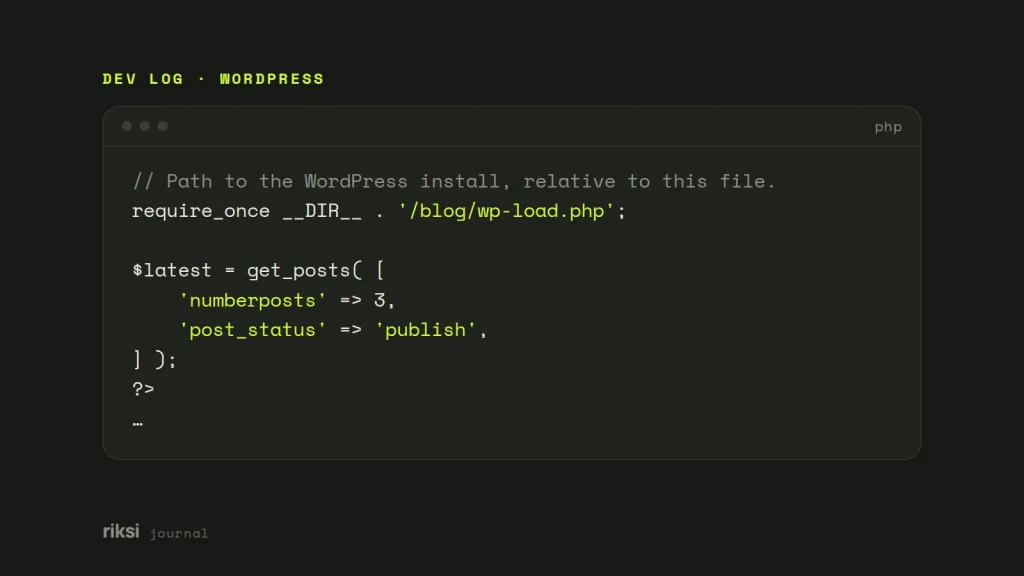
<?php
// Path to the WordPress install, relative to this file.
require_once __DIR__ . '/blog/wp-load.php';

$latest = get_posts( [
	'numberposts' => 3,
	'post_status' => 'publish',
] );
?>
<ul class="latest-posts">
<?php foreach ( $latest as $item ) : ?>
	<li><a href="<?php echo esc_url( get_permalink( $item ) ); ?>"><?php echo esc_html( get_the_title( $item ) ); ?></a></li>
<?php endforeach; ?>
</ul>
The WP_USE_THEMES constant only matters with wp-blog-header.php. With wp-load.php no theme template is loaded. But the active theme’s functions.php and every active plugin still load. So each request costs about as much as a WordPress page view. If the output goes in a footer on every page, I’d cache it.
Side effects on the host app
WordPress assumes it owns the request, a bit like a house guest who resets all your clocks. When it shares the request with another app, watch for these. Be careful here, because some of them fail without warning.
- Superglobals get slashed. While loading, WordPress runs
wp_magic_quotes(). This adds backslashes to$_GET,$_POST,$_COOKIEand$_SERVER. Read your own form input before you require WordPress, or run it throughwp_unslash()afterwards. - The default time zone changes. WordPress calls
date_default_timezone_set( 'UTC' ), so plaindate()calls in the host app switch to UTC. UseDateTimeImmutablewith an explicit time zone, or WordPress’s ownwp_date(). - Names can clash. WordPress declares hundreds of global functions and classes without checking if they already exist. The host app, or a framework it uses, may already declare something like
__(). If so, PHP stops with a “Cannot redeclare” fatal error. - Logins don’t carry over.
is_user_logged_in()only works if the browser sends WordPress’s login cookie. That cookie is limited to the WordPress site’s host and path. A script on another subdomain or in a sibling folder won’t see it.
Use SHORTINIT for simple lookups
If all you need is the database, define SHORTINIT before loading. WordPress then stops early in wp-settings.php, before translations, plugins, the theme, users and the post and query APIs load.
<?php
define( 'SHORTINIT', true );
require_once __DIR__ . '/blog/wp-load.php';

global $wpdb;

$titles = $wpdb->get_col(
	$wpdb->prepare(
		"SELECT post_title FROM {$wpdb->posts}
		 WHERE post_type = %s AND post_status = %s
		 ORDER BY post_date DESC LIMIT %d",
		'post',
		'publish',
		3
	)
);

foreach ( $titles as $title ) {
	echo '<li>' . esc_html( $title ) . '</li>';
}
You still get $wpdb, get_option(), the hooks API and the formatting and escaping functions such as esc_html(). You don’t get WP_Query, get_posts(), get_permalink() or anything a plugin adds. Yes, that is a long list of things you don’t get. That is the point of it. So you write SQL against the WordPress tables yourself. It suits counts, option lookups and small read-only jobs, not anything that needs links or plugin behaviour.
When is the REST API the better choice?
If WordPress is on another server, or you don’t want to tie two codebases together, get the data over HTTP. Published content is available from the REST API without logging in.
curl -s "https://example.com/wp-json/wp/v2/posts?per_page=3&_fields=title,link"The _fields parameter trims the response to what you need. Here is the same request in plain PHP, with no WordPress code on the other side.
<?php
$response = file_get_contents( 'https://example.com/wp-json/wp/v2/posts?per_page=3&_fields=title,link' );
$posts    = json_decode( (string) $response, true ) ?: [];

foreach ( $posts as $post ) {
	printf(
		'<li><a href="%s">%s</a></li>',
		htmlspecialchars( $post['link'], ENT_QUOTES ),
		htmlspecialchars( $post['title']['rendered'], ENT_QUOTES, 'UTF-8', false )
	);
}
The last argument to htmlspecialchars() stops it double-encoding the entities WordPress already puts in titles. Cache the response for a few minutes, in APCu, a file or your framework’s cache. That way a slow blog never slows down the other site.
I like that the two apps stay independent. The REST API doesn’t care what language the other side is written in. You can update WordPress, or move it to another host, without touching the code that reads from it. Private content needs authentication, for example an Application Password over HTTPS.
When is WP-CLI the better choice?
For command-line scripts such as imports, clean-ups and cron jobs, I wouldn’t load WordPress by hand. WP-CLI loads it properly and gives you every WordPress function. Writing your own loader next to WP-CLI is like building a ladder when the shed already has one.
wp eval 'echo get_option( "blogname" ), PHP_EOL;'
wp eval-file scripts/import-products.php --path=/var/www/example.com
Inside a file run with wp eval-file, extra command-line arguments arrive in $args. I’d check the built-in commands first, too. wp post list, wp user create and wp option update may already do the job.
Which one to use
| Situation | Use |
|---|---|
| Same server, need full WordPress (posts, permalinks, plugin filters). | wp-load.php |
| Same server, only a quick database or option lookup. | SHORTINIT and $wpdb |
| Different server, or you want the two apps kept apart. | REST API, cached |
| Command-line scripts, cron jobs, imports. | WP-CLI (wp eval-file) |
Whichever you pick, escape everything you print. And never load WordPress through wp-blog-header.php from outside it.
If you’re unsure which to pick, I’d try the REST API first. It keeps the two codebases apart, so neither one can change the other’s clocks.
Comments
No comments yet. Questions, fixes and better ways are all welcome.