Remove or escape illegal characters in a MySQL string
Your query breaks on a quote, or strange characters keep turning up in a column. “Illegal characters” in MySQL usually means one of two things. Quotes and other special characters in user input may be breaking your query. You fix that with prepared statements, not by removing characters. Or unwanted characters may already be stored in a column. You clean those up with REPLACE(), TRIM() or, in MySQL 8, REGEXP_REPLACE().
Stop characters breaking your queries
The old answer was mysql_real_escape_string(). It adds a backslash before the characters that have meaning inside a MySQL string. Those are NUL (\0), newline, carriage return, backslash, single and double quotes, and Ctrl-Z.
That whole mysql_* extension was removed in PHP 7. Escaping by hand is also easy to get wrong. Forget it once and you have an SQL injection hole, where an attacker can run their own SQL. I wouldn’t build queries that way on any site today.
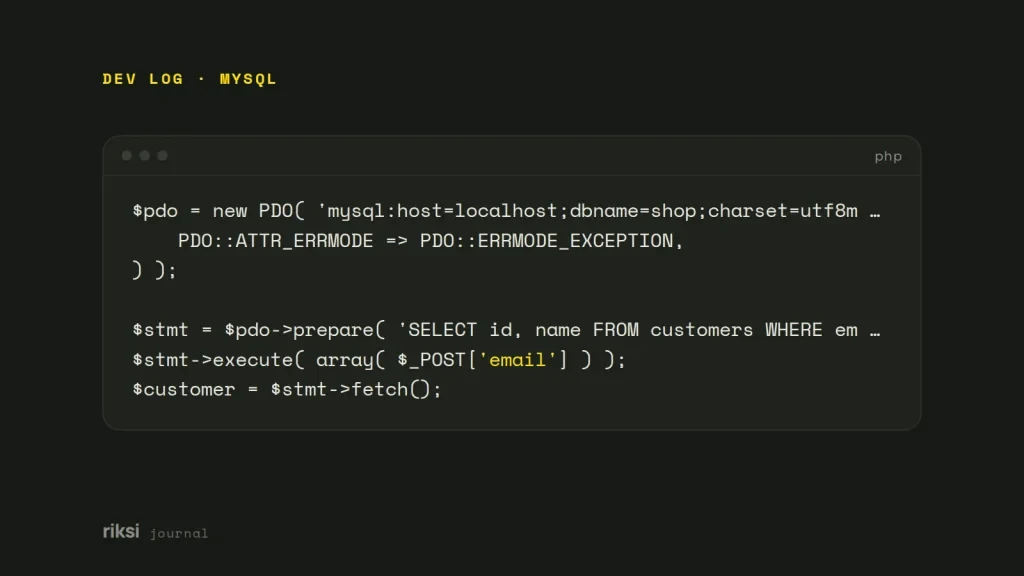
In a query built as text, MySQL can’t tell your quotes from a user’s quotes. It trusts every one of them. Prepared statements send the query and the values separately. So a quote in the data can never end the string early. Here it is with PDO, which is the option I prefer.
<?php
$pdo = new PDO( 'mysql:host=localhost;dbname=shop;charset=utf8mb4', $user, $pass, array(
	PDO::ATTR_ERRMODE => PDO::ERRMODE_EXCEPTION,
) );

$stmt = $pdo->prepare( 'SELECT id, name FROM customers WHERE email = ?' );
$stmt->execute( array( $_POST['email'] ) );
$customer = $stmt->fetch();
With mysqli it’s $stmt = $mysqli->prepare( '... WHERE email = ?' ); $stmt->bind_param( 's', $email );. In WordPress, use $wpdb->prepare().
$row = $wpdb->get_row(
	$wpdb->prepare( "SELECT * FROM {$wpdb->prefix}orders WHERE order_key = %s", $key )
);
mysqli_real_escape_string() still exists, but you only need it when you must build SQL as text. Placeholders can’t stand in for table or column names either. Check those against a list of allowed names instead.
Clean characters already in the data
Imported spreadsheets and copy-pasted text bring stray line breaks, non-breaking spaces, tabs and curly quotes. A non-breaking space is like an identical twin of a normal space. It looks the same on screen, but MySQL knows they are different characters. Always look before you change anything, and back up the table first.
-- 1. See what you would change
SELECT id, name, REPLACE(REPLACE(name, '\r', ''), '\n', ' ') AS cleaned
FROM products
WHERE name LIKE '%\n%' OR name LIKE '%\r%';

-- 2. Then update
UPDATE products
SET name = TRIM(REPLACE(REPLACE(name, '\r', ''), '\n', ' '))
WHERE name LIKE '%\n%' OR name LIKE '%\r%';
These are the building blocks I use most.
| To remove | SQL |
|---|---|
| Leading and trailing spaces. | TRIM(col) |
| A specific character. | REPLACE(col, '|', '') |
| Tabs. | REPLACE(col, CHAR(9), ' ') |
| Non-breaking spaces (UTF-8). | REPLACE(col, UNHEX('C2A0'), ' ') |
| Anything but letters, digits and spaces (MySQL 8+). | REGEXP_REPLACE(col, '[^[:alnum:] ]', '') |
| Runs of spaces (MySQL 8+). | REGEXP_REPLACE(col, ' {2,}', ' ') |
REGEXP_REPLACE() arrived in MySQL 8.0 and MariaDB 10.0.5. On older versions, chain REPLACE() calls, or clean the data in PHP before it goes in.
Be careful with patterns like [^[:alnum:] ] on names and addresses. They also strip accented letters, apostrophes and hyphens, which are not illegal at all. O’Brien and Zoë are real names.
When the “illegal characters” are an encoding problem
You may see text like ’, question marks or boxes. That’s not bad data. It’s a character-set mismatch, where text is saved in one encoding and read in another.
MySQL’s old utf8 (really utf8mb3) can’t store four-byte characters such as emoji. And a connection in one character set that writes to a table in another will garble accents and curly quotes.
-- Check the table and column character sets
SHOW CREATE TABLE products;

-- Convert a table to full UTF-8 (back up first)
ALTER TABLE products CONVERT TO CHARACTER SET utf8mb4 COLLATE utf8mb4_unicode_ci;
Then make sure every connection uses the same set. Use charset=utf8mb4 in the PDO DSN as above, or $mysqli->set_charset( 'utf8mb4' ). In WordPress, set DB_CHARSET to utf8mb4. If you remove the odd characters instead, you throw the real text away.
So work out which of the three problems you have before you change anything. If I’m not sure, I run SHOW CREATE TABLE first, because it shows the character sets straight away. The ë in Zoë was never illegal. At worst, it was read in the wrong character set.


Comments
No comments yet. Questions, fixes and better ways are all welcome.