Lesson 06 LearningCheat sheets
MySQL JOINs explained: INNER, LEFT, RIGHT, FULL, CROSS, self
You need data from two tables, and the rows that come back aren’t the ones you expected. Most of the time, the join type is the reason. A JOIN combines rows from two tables, usually by matching a key. INNER JOIN keeps only the rows that match on both sides. LEFT JOIN keeps every row from the left table, and RIGHT JOIN keeps every row from the right table. MySQL has no FULL OUTER JOIN, so you build one from a LEFT JOIN and a RIGHT JOIN with UNION.
Every join below runs on the same two small tables, so you see the exact rows that come back. If you’re new to joins, I’d start with INNER JOIN and LEFT JOIN. You’ll use those two far more than the rest.
The example tables
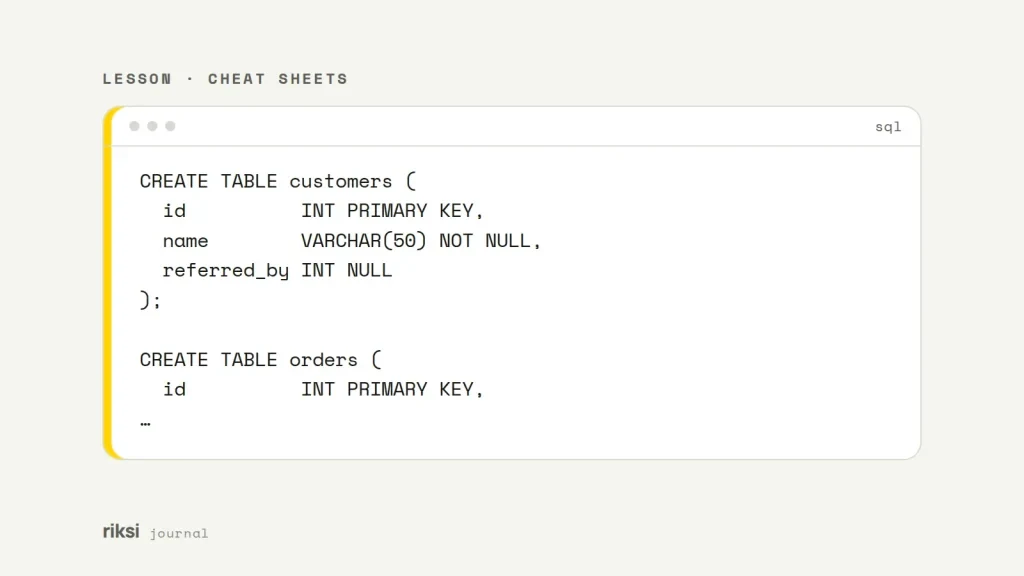
This is a small shop with three customers and four orders. Ben hasn’t ordered yet. Order 104 points at customer 4, who no longer exists. This is an orphan row. It’s like a parcel addressed to someone who has moved out. You get it when rows are deleted and no foreign key (a rule that links rows between tables) stops it. The referred_by column records which customer referred whom. I use it later for the self join.
CREATE TABLE customers (
  id          INT PRIMARY KEY,
  name        VARCHAR(50) NOT NULL,
  referred_by INT NULL
);

CREATE TABLE orders (
  id          INT PRIMARY KEY,
  customer_id INT NOT NULL,
  total       DECIMAL(8,2) NOT NULL,
  INDEX (customer_id)
);

INSERT INTO customers VALUES (1, 'Ava', NULL), (2, 'Ben', 1), (3, 'Chloe', 1);
INSERT INTO orders VALUES (101, 1, 40.00), (102, 1, 25.00), (103, 3, 60.00), (104, 4, 15.00);
Here is the customers table.
| id | name | referred_by |
|---|---|---|
| 1 | Ava | NULL |
| 2 | Ben | 1 |
| 3 | Chloe | 1 |
And this is the orders table.
| id | customer_id | total |
|---|---|---|
| 101 | 1 | 40.00 |
| 102 | 1 | 25.00 |
| 103 | 3 | 60.00 |
| 104 | 4 | 15.00 |
INNER JOIN: only the matches
Only matching pairs come back.
SELECT c.name, o.id AS order_id, o.total
FROM customers AS c
INNER JOIN orders AS o ON o.customer_id = c.id
ORDER BY c.id, o.id;| name | order_id | total |
|---|---|---|
| Ava | 101 | 40.00 |
| Ava | 102 | 25.00 |
| Chloe | 103 | 60.00 |
Ben is missing. He doesn’t have any orders. Order 104 is missing too, because it has no customer. Ava appears twice, because a join returns one row for every matching pair.
Keep this in mind when you join and then use SUM() or COUNT(). It’s easy to miss. A one-to-many join multiplies rows. So totals from the “one” side get counted more than once.
In MySQL, JOIN, INNER JOIN and CROSS JOIN do the same thing. The ON condition is what makes a join inner, so always write one. I find a join with an explicit ON much easier to read later. When both tables use the same column name, you can write USING (column) instead. These columns have different names (id and customer_id), so I use ON.
LEFT JOIN: every row on the left
SELECT c.name, o.id AS order_id, o.total
FROM customers AS c
LEFT JOIN orders AS o ON o.customer_id = c.id
ORDER BY c.id, o.id;| name | order_id | total |
|---|---|---|
| Ava | 101 | 40.00 |
| Ava | 102 | 25.00 |
| Ben | NULL | NULL |
| Chloe | 103 | 60.00 |
Every customer stays. Ben finally makes the list, even with nothing next to his name. Where there is no matching order, the order columns are NULL. This makes LEFT JOIN the tool for finding rows with nothing attached. Add WHERE o.id IS NULL and the query returns only Ben, the customer who has never ordered.
A common LEFT JOIN mistake
This one catches a lot of people. A condition on the right-hand table belongs in the ON clause, not in WHERE. Compare these two queries. Both try to list customers with their orders over $30.
-- Keeps every customer: the filter only decides which orders match
SELECT c.name, o.id AS order_id, o.total
FROM customers AS c
LEFT JOIN orders AS o ON o.customer_id = c.id AND o.total > 30;

-- Drops Ben: WHERE runs after the join, and NULL > 30 is never true
SELECT c.name, o.id AS order_id, o.total
FROM customers AS c
LEFT JOIN orders AS o ON o.customer_id = c.id
WHERE o.total > 30;
The first query returns Ava with order 101, Ben with NULLs, and Chloe with order 103. The second returns only Ava and Chloe. It now acts like an inner join.
RIGHT JOIN: every row on the right
SELECT c.name, o.id AS order_id, o.total
FROM customers AS c
RIGHT JOIN orders AS o ON o.customer_id = c.id
ORDER BY o.id;| name | order_id | total |
|---|---|---|
| Ava | 101 | 40.00 |
| Ava | 102 | 25.00 |
| Chloe | 103 | 60.00 |
| NULL | 104 | 15.00 |
Every order stays. Ben is gone. Order 104 comes back with a NULL name. Add WHERE c.id IS NULL and you get a list of orphan orders to clean up.
A RIGHT JOIN is a LEFT JOIN with the tables swapped. It’s the same join, seen in a mirror. FROM orders AS o LEFT JOIN customers AS c returns the same rows. The MySQL manual recommends LEFT JOIN because it works on more databases. One direction is also easier to read, so I rarely write RIGHT JOIN in production code.
FULL OUTER JOIN in MySQL, using UNION
A full outer join keeps every row from both tables. PostgreSQL and SQL Server support it directly. MySQL doesn’t. FULL OUTER JOIN gives a syntax error.
FULL JOIN is worse. Watch out, because it can look like it worked. FULL is not a reserved word, so MySQL can read it as a table alias. Then it either runs a normal inner join or complains about an unknown column.
The reliable way to copy it is a LEFT JOIN for every customer, plus the orders that have no customer at all. It’s more typing than one keyword, I know. But it works, and you can see exactly what it does.
SELECT c.name, o.id AS order_id, o.total
FROM customers AS c
LEFT JOIN orders AS o ON o.customer_id = c.id

UNION ALL

SELECT c.name, o.id, o.total
FROM customers AS c
RIGHT JOIN orders AS o ON o.customer_id = c.id
WHERE c.id IS NULL

ORDER BY order_id;| name | order_id | total |
|---|---|---|
| Ben | NULL | NULL |
| Ava | 101 | 40.00 |
| Ava | 102 | 25.00 |
| Chloe | 103 | 60.00 |
| NULL | 104 | 15.00 |
Ben sorts first. MySQL puts NULL before other values in ascending order.
The WHERE c.id IS NULL in the second half makes UNION ALL safe. The two halves can never return the same row, so nothing is duplicated.
You’ll often see this written with a plain UNION and no WHERE. That works when every row is unique. But UNION removes duplicate rows, even real ones you wanted to keep. It also has to do extra work to find them. That’s why I prefer UNION ALL with the WHERE.
CROSS JOIN: every combination
A cross join has no condition. It pairs every row of one table with every row of the other. So the result has rows in A × rows in B rows. It is useful for building grids, like every product in every size, or every store for every day of a report.
SELECT c.name, ch.channel
FROM customers AS c
CROSS JOIN (SELECT 'email' AS channel UNION ALL SELECT 'sms') AS ch
ORDER BY c.id, ch.channel;| name | channel |
|---|---|
| Ava | |
| Ava | sms |
| Ben | |
| Ben | sms |
| Chloe | |
| Chloe | sms |
Three customers times two channels gives six rows.
You can get this by accident if you forget the ON clause. The old comma syntax (FROM customers, orders) without a WHERE does it too. These example tables would give 12 rows. Two tables of 10,000 rows each would give 100 million. MySQL won’t ask whether you meant it. It will start building all of those rows.
Self join: a table joined to itself
A self join treats one table as two. You give each copy a different alias. Here it turns referred_by into a name.
SELECT c.name, r.name AS referred_by
FROM customers AS c
LEFT JOIN customers AS r ON r.id = c.referred_by
ORDER BY c.id;| name | referred_by |
|---|---|
| Ava | NULL |
| Ben | Ava |
| Chloe | Ava |
I used LEFT JOIN so Ava stays in the list. Nobody referred her. The same pattern works for staff and managers, categories and parent categories, or comments and replies.
When the chain can go many levels deep, I wouldn’t stack self joins. Use a recursive CTE instead (common table expression, a named query that can refer to itself). It uses WITH RECURSIVE and needs MySQL 8.0 or later.
Tips for joins on real data
- Index the columns you join on. InnoDB indexes foreign key columns for you. Otherwise, add the index yourself, like I did with
orders.customer_id. - Put
EXPLAINin front of a slow join. It shows whether MySQL uses those indexes. - Give tables short aliases, and put the alias before every column (
c.name,o.total). Then the query still works if someone adds a column with the same name. - Add
ORDER BYwhenever order matters. Without it, MySQL returns joined rows in whatever order is cheapest.
When a join gives you totals that look wrong, my advice is to drop the SUM() first. Look at the raw rows, and the extra or missing ones are usually easy to spot. Most of the time, it’s an Ava counted twice or a Ben who went missing.


Comments
No comments yet. Questions, fixes and better ways are all welcome.