Lesson 05 LearningExplainers
What is Laravel Blade? Templates, layouts and components
You’ve opened a Laravel project and found files that end in .blade.php. Blade is Laravel’s templating engine. Each template is an HTML file that lives in resources/views. It adds a few extras to plain HTML.
{{ $value }}prints data with HTML escaping.@ifand@foreachdirectives replace PHP tags.- Layouts and components let you reuse markup.
Laravel compiles each template to plain PHP once and caches it. So Blade adds almost no overhead.
Where templates live, and how to render one
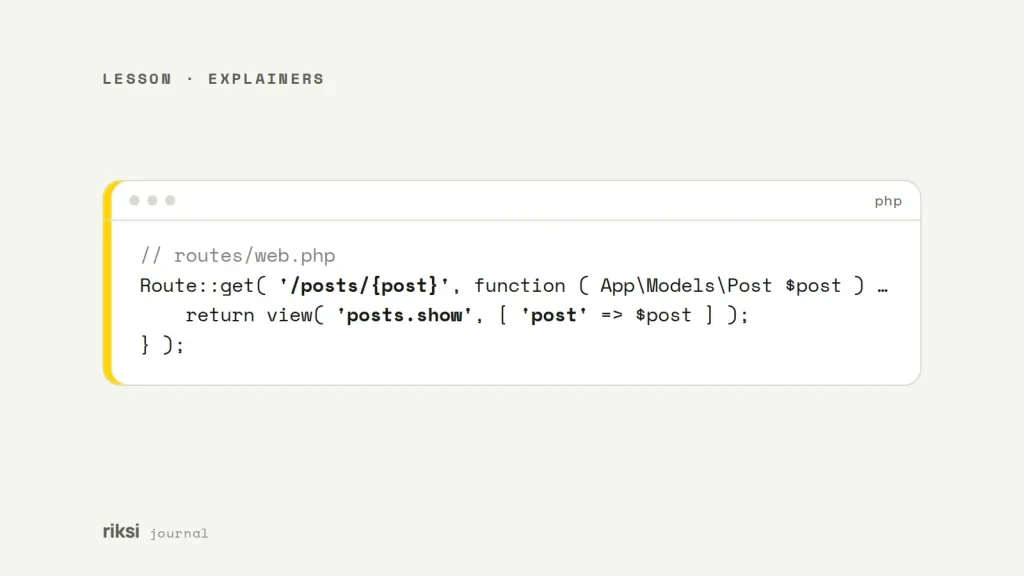
Views go in resources/views. Dots in a view name are folders. So view( 'posts.show' ) renders resources/views/posts/show.blade.php. The dots look odd at first, and then you stop noticing them.
// routes/web.php
Route::get( '/posts/{post}', function ( App\Models\Post $post ) {
    return view( 'posts.show', [ 'post' => $post ] );
} );Print data with {{ }} and {!! !!}
<h1>{{ $post->title }}</h1>
<p>Posted {{ $post->created_at->diffForHumans() }}</p>

{{-- A Blade comment: not sent to the browser --}}
{!! $post->body_html !!}
{{ }} runs the value through htmlspecialchars(). So a title that contains <script> shows as text, and the browser doesn’t run it. It’s like putting the value behind glass, where people can see it but it can’t do anything. It’s the main security benefit of Blade, and the part I like most.
{!! !!} prints the value raw. Only use it for HTML you made or sanitised yourself. Never use it for anything a user typed. One raw tag in the wrong place undoes the protection that {{ }} gives you.
Directives for conditions and loops
A directive is a Blade keyword that starts with @. It’s the same if and foreach you know from PHP, with far fewer angle brackets and question marks.
@if ($posts->isEmpty())
    <p>No posts yet.</p>
@else
    <ul>
        @foreach ($posts as $post)
            <li class="{{ $loop->first ? 'first' : '' }}">{{ $post->title }}</li>
        @endforeach
    </ul>
@endif

@auth
    <a href="/dashboard">Dashboard</a>
@endauth
Inside a loop, the $loop variable tells you the index, whether this is the first or last item, and more. @forelse combines a loop with an empty state. I find it easier to read than an @if wrapped around a @foreach.
Other directives you’ll use often are @isset and @method( 'PUT' ). @csrf adds the hidden token every form needs. @include( 'partials.nav' ) pulls in another template.
Layouts with @extends, @section and @yield
Put the shared page shell in one layout file. Then each page fills in the parts that change. A layout is like a picture frame, and each page brings its own picture.
{{-- resources/views/layouts/app.blade.php --}}
<!doctype html>
<html lang="en">
<head>
    <title>@yield('title', 'My site')</title>
</head>
<body>
    @include('partials.nav')
    <main>@yield('content')</main>
</body>
</html>
{{-- resources/views/posts/show.blade.php --}}
@extends('layouts.app')
@section('title', $post->title)
@section('content')
<h1>{{ $post->title }}</h1>
{!! $post->body_html !!}
@endsectionComponents, or making your own HTML tags
Components are reusable pieces of markup that you use like HTML tags. An anonymous component is only a file in resources/views/components.
{{-- resources/views/components/alert.blade.php --}}
@props(['type' => 'info'])

<div {{ $attributes->merge(['class' => 'alert alert-' . $type]) }}>
    {{ $slot }}
</div>
<x-alert type="error" class="mb-4">Your card was declined.</x-alert>Here is what each part does.
@propsdeclares the component’s options and defaults.$slotis whatever goes between the tags.$attributespasses on any extra attributes, such asclass.
Components can also work as layouts, like <x-layout>…</x-layout>. Many newer Laravel projects prefer this to @extends. So do I, because the page then reads like plain HTML. For components with logic, php artisan make:component creates a class next to the view.
Blade and plain PHP
You can still write PHP in a template with @php … @endphp. But I treat that as a warning sign. Queries and calculations belong in the controller or a view model. Templates read best when they only display data.
Blade caches compiled views in storage/framework/views. It’s fast because it remembers, and now and then it remembers a little too well. If a change doesn’t show up, run php artisan view:clear to empty that cache.
If you’re new to Blade, I’d start with {{ }}, @foreach and one layout. The rest can wait until you need it.


Comments
No comments yet. Questions, fixes and better ways are all welcome.