You have a page that only signed-in users should see. Check the login state before any output. If the visitor isn’t signed in, send a Location header and stop the script with exit.
In plain PHP, that check reads the session. In WordPress, use is_user_logged_in() on the template_redirect hook, or just call auth_redirect().
Plain PHP: sessions
When the user logs in, start a session, give it a fresh ID, and store who they are.
<?php
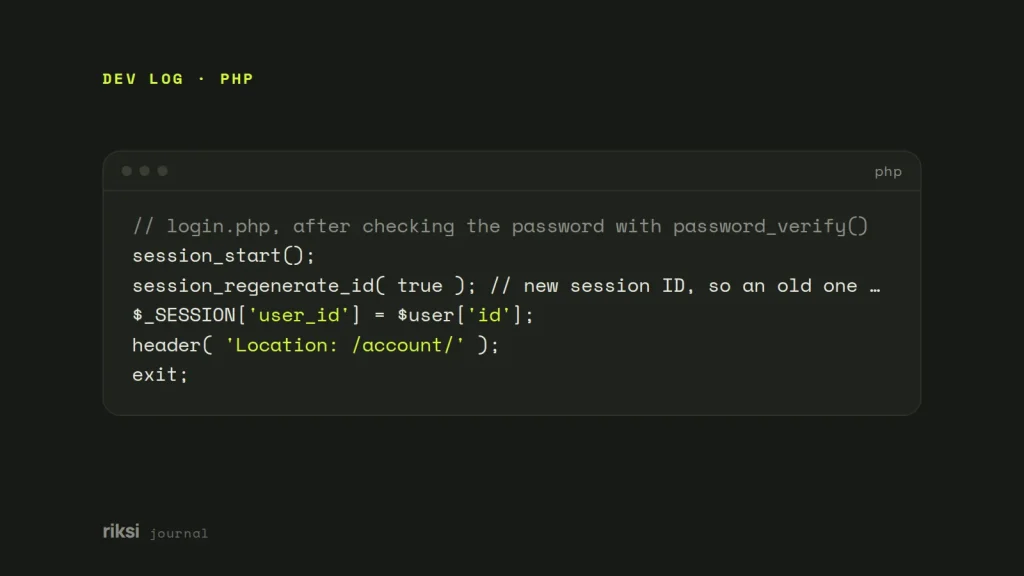
// login.php, after checking the password with password_verify()
session_start();
session_regenerate_id( true ); // new session ID, so an old one can't be reused
$_SESSION['user_id'] = $user['id'];
header( 'Location: /account/' );
exit;
Then put the same guard at the top of every protected page, before any HTML is sent.
<?php
// require_login.php
session_start();

if ( empty( $_SESSION['user_id'] ) ) {
	$back = urlencode( $_SERVER['REQUEST_URI'] );
	header( 'Location: /login.php?redirect=' . $back, true, 302 );
	exit; // without this, the rest of the page still runs and is sent
}
Include it on each page with require __DIR__ . '/require_login.php';. Three details matter here. I’d check each one on every protected page.
- Always
exitafter the redirect.header()only adds a header. PHP carries on and sends the protected content in the body, and anyone can read it withcurl. This is the most important point. - Nothing may be output before
header(), not even a blank line before<?php. If it is, you get “headers already sent”. - Only redirect back to your own pages. After login, check that
redirectstarts with a single/, and not//orhttp. Otherwise you have an open redirect. That’s a link on your domain that can send people to any site, and phishing scams abuse them.
A redirect without an exit is only a polite request. The browser is asked to leave, but PHP keeps sending the page. To see what PHP sends, check the redirect and headers with curl.
If you check $_SESSION['loggedin'] != 1 without first testing that the key exists, PHP 8 raises a warning. empty() handles both cases.
WordPress: the quick way
WordPress has a function for exactly this. auth_redirect() checks the login cookie. If there is none, it redirects to the login screen with the current page as the return address. Then it exits. For a simple members page, it’s what I’d use.
add_action( 'template_redirect', function () {
	if ( is_page( 'members' ) ) {
		auth_redirect();
	}
} );
template_redirect runs after WordPress knows which page is being viewed. It runs before the template sends any output. That makes it the right moment for redirects. It’s like a ticket check at a theatre door. Staff know which show you’re there for, but nobody is in a seat yet.
WordPress: your own rules
Sometimes you need more control. For example, you may want a custom login page, to protect a whole post type, or to check a role. Then write the condition yourself. I prefer wp_safe_redirect() here, because it only allows redirects to your own site.
add_action( 'template_redirect', function () {
	$protected = is_page( array( 'members', 'downloads' ) ) || is_singular( 'course' );

	if ( $protected && ! is_user_logged_in() ) {
		wp_safe_redirect( wp_login_url( get_permalink() ) );
		exit;
	}

	// Signed in, but the wrong kind of account.
	if ( is_singular( 'course' ) && ! current_user_can( 'read_private_posts' ) ) {
		wp_safe_redirect( home_url( '/upgrade/' ) );
		exit;
	}
} );
wp_login_url( $redirect ) builds the login link with a return address. So people land back on the page they wanted after they sign in. It’s a small detail, I know. But nobody likes to sign in and then search for the page a second time.
Protect the other ways in
A redirect protects the page template. But people can often reach the same content another way. Check the REST API (/wp-json/wp/v2/pages), RSS feeds, search results and the files themselves.
Media uploads are plain files served by the web server. So a PDF linked from a members page is public to anyone with the URL, unless you protect the folder at server level. For those files, a membership plugin or a server rule does the job better than a redirect.
My advice is to test the protection while logged out, in a private window. Try the page, the feed and the REST API, not only the template. If a private window can read it, so can everyone else.
Comments
No comments yet. Questions, fixes and better ways are all welcome.