You want your blog posts to sit under /blog/, apart from your pages. Go to Settings → Permalinks, choose Custom Structure and enter /blog/%postname%/. Every post URL then starts with /blog/, and pages keep their own addresses. After that, check two things. Custom post types take the prefix too, unless you tell them not to. And the old URLs that search engines and other sites link to need to keep working.
Why put /blog/ in the URL?
On a business site, posts and pages sit side by side. A prefix keeps them apart. It works like the sections of a newspaper. You know what kind of story it is before you read it. /about/ is clearly a page, and /blog/new-feature/ is clearly an article. That makes analytics easier to filter. It lets you target the blog in robots or caching rules, and it tells readers where they are. It also avoids clashes when a post and a page want the same slug.
Set the custom structure
In Settings → Permalinks, pick Custom Structure and type the prefix in front of the tags. WordPress shows a preview underneath.

These are common structures, with an example URL for each.
/blog/%postname%/gives/blog/add-blog-to-urls//blog/%category%/%postname%/gives/blog/wordpress/add-blog-to-urls//blog/%year%/%postname%/gives/blog/2026/add-blog-to-urls/
I’d keep it short and stable, which is why I prefer /blog/%postname%/. Dates make your content look old. A year in the address gets older every January, even if you update the post. With categories in the URL, the address changes if you ever move a post to another category. Saving the screen also rebuilds WordPress’s rewrite rules, so the new addresses work straight away.
The prefix also moves your archives. Category and tag pages become /blog/category/… and /blog/tag/…. That’s because WordPress puts the fixed part of the structure, called the “front”, in front of them too.

Keep custom post types out of /blog/
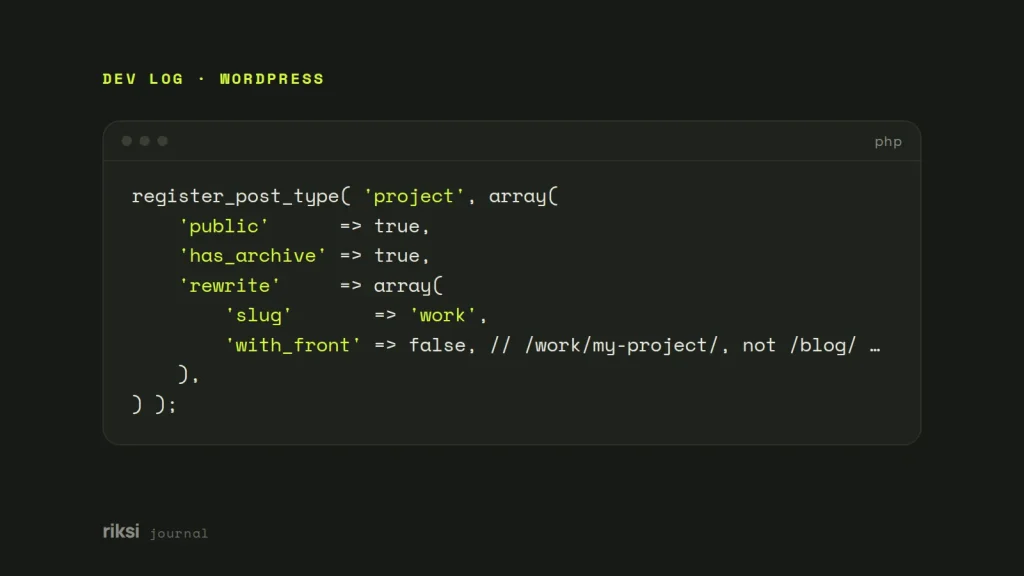
Custom post types use that same front by default. So a project post type would suddenly live at /blog/project/…. Turn it off with with_front when you register the type:
register_post_type( 'project', array(
	'public'      => true,
	'has_archive' => true,
	'rewrite'     => array(
		'slug'       => 'work',
		'with_front' => false, // /work/my-project/, not /blog/work/my-project/
	),
) );
Yes, that one false value is the whole fix. Custom taxonomies take the same with_front setting in their rewrite array. Sometimes the post type comes from a plugin you can’t edit. Then change its arguments with the register_post_type_args filter. I’d use the filter and leave the plugin itself alone.
add_filter( 'register_post_type_args', function ( $args, $post_type ) {
	if ( 'portfolio' === $post_type ) {
		$args['rewrite'] = array_merge( (array) ( $args['rewrite'] ?? array() ), array( 'with_front' => false ) );
	}
	return $args;
}, 10, 2 );
After you change registration code, go to Settings → Permalinks and click Save once. That rebuilds the rewrite rules.
Keep the old URLs working
If the site is already live, every post now has a new address. WordPress does try to rescue old post URLs. When a request returns a 404 (not found), it guesses the post from the last part of the address and redirects. That usually works for /%postname%/ links. But it’s only a best guess, and it doesn’t cover category or tag archives. I wouldn’t rely on it.
So add your own 301 redirects for the posts that matter, the ones with traffic or links. A 301 tells browsers and search engines that the page has moved for good. A redirection plugin lets you add them from the dashboard. Or add them to .htaccess on Apache, above the WordPress block:
Redirect 301 /my-popular-post/ /blog/my-popular-post/
Redirect 301 /another-post/    /blog/another-post/
Don’t use one catch-all pattern that sends every single-segment URL to /blog/. It’ll catch your pages too.
Then update your internal links and your XML sitemap, and test a few old URLs by hand. Over the next few weeks, check Search Console → Pages for new 404s while the change settles.
If your site isn’t live yet, I’d make this change now. It’s much easier before there are old links to redirect. Right now, nobody links to your old addresses. That changes soon after launch.
Comments
No comments yet. Questions, fixes and better ways are all welcome.