Security headers for WordPress, without a plugin
A scanner has flagged your WordPress site for missing security headers. You can add them with a few lines of PHP, and you don’t need a plugin. Security headers are instructions your site sends with every page. They tell the browser what it may do with that page. For example, they decide if other sites can frame it, or if it can ask for the camera.
They cost nothing to add, and they block whole types of attack. A default WordPress install sends none of them on the public side of the site. On a new site, I add them early.
Five headers to send
X-Content-Type-Options: nosniffstops the browser guessing a file’s type. Without it, an uploaded file that’s really a script can sometimes run as one. The guessing was meant to be helpful. This header asks the browser to stop helping.Referrer-Policy: strict-origin-when-cross-originsends only your domain, not the full address, when someone follows a link to another site. Private details in URLs stay private.X-Frame-Options: SAMEORIGINstops other sites putting your pages in a frame. That’s how clickjacking works, where a hidden frame tricks people into clicking. The modern version is the Content Security Policy directiveframe-ancestors 'self'. Sending both is fine.Permissions-Policyswitches off browser features the site never uses, such as the camera, microphone and location. Then nothing injected into the page can ask for them.Strict-Transport-Security(HSTS) tells the browser to use HTTPS for your domain from now on, even if someone types or clicks anhttp://link.
Send them from PHP
WordPress fires the send_headers action when it sends the headers for a page request, before any page output. Hook in there from your theme’s functions.php, or from a small plugin. I prefer the plugin, because it survives a theme change. Yes, that’s a plugin in a post about not needing one. It’s a few lines you wrote yourself, so it doesn’t really count.
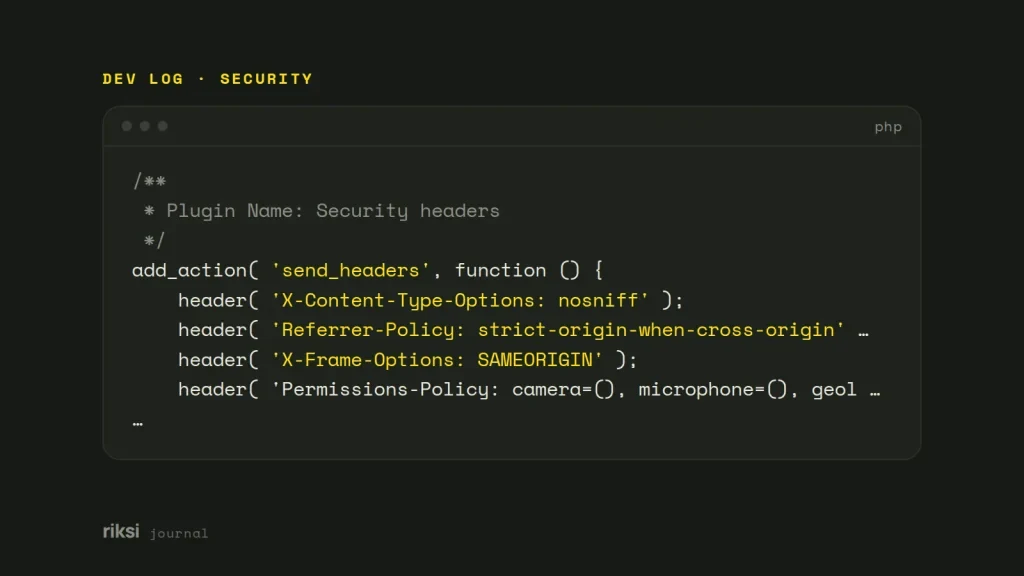
<?php
/**
 * Plugin Name: Security headers
 */
add_action( 'send_headers', function () {
	header( 'X-Content-Type-Options: nosniff' );
	header( 'Referrer-Policy: strict-origin-when-cross-origin' );
	header( 'X-Frame-Options: SAMEORIGIN' );
	header( 'Permissions-Policy: camera=(), microphone=(), geolocation=()' );

	// Only over HTTPS, and only once the whole site works on HTTPS.
	if ( is_ssl() ) {
		header( 'Strict-Transport-Security: max-age=31536000' );
	}
} );
Be careful with HSTS, for two reasons. First, it sticks. Once a browser has seen it, it refuses plain HTTP for your domain for the whole max-age. So make sure every page and subdomain works over HTTPS first. I’d start with a short max-age, such as a day, and raise it later.
Second, only add includeSubDomains or preload when you’re sure about every subdomain you own.
Headers on images and files too
The PHP above covers pages WordPress builds. Images, stylesheets and uploads are usually served straight by the web server, without PHP. The server doesn’t ask WordPress before it sends an image, so WordPress can’t add anything to it. On Apache, add the same headers to .htaccess to cover those too.
<IfModule mod_headers.c>
  Header always set X-Content-Type-Options "nosniff"
  Header always set Referrer-Policy "strict-origin-when-cross-origin"
  Header always set X-Frame-Options "SAMEORIGIN"
  Header always set Permissions-Policy "camera=(), microphone=(), geolocation=()"
</IfModule>
On Nginx, use add_header ... always; in the server block. If you set headers in both PHP and the server config, check that you don’t send each header twice with different values. I’d pick one place and keep them all there.
What about Content Security Policy?
A Content Security Policy (CSP) is the strongest header of all. It lists exactly where scripts, styles, images and frames may come from. It works like a guest list at the door. If a source isn’t on the list, it doesn’t get in. That stops most cross-site scripting, where an attacker runs their own script on your page.
A CSP is also the easiest header to get wrong on WordPress. Plugins add inline scripts, and third-party services add their own domains.
I’d start in report-only mode. The browser reports what it would have blocked, but blocks nothing. That way you can tighten the list without breaking the site.
header( "Content-Security-Policy-Report-Only: default-src 'self'; img-src 'self' data:; frame-ancestors 'self'" );Watch the browser console on your key pages, and add the sources you need. Only switch to the enforcing Content-Security-Policy header once the reports go quiet.
Check they work
In the terminal, request only the headers, and filter for the ones you added. The terminal shows what the server sent, not what you hoped it sent.
curl -sI https://example.com/ | grep -iE 'x-content|referrer|x-frame|permissions|strict-transport'Run it against an image URL too, to check the server config works. Online scanners such as securityheaders.com and Mozilla’s HTTP Observatory give you a graded report and explain anything missing.
Other quick fixes
Headers are one layer of protection. These fixes help too:
- Turn off XML-RPC if nothing uses it.
- Stop the REST API listing user names to anonymous visitors.
- Keep only the plugins you need.
- Make sure automatic minor updates are on.
None of this replaces good hosting and backups. But together, these fixes close the easy gaps that attackers try first.
If you only do one thing today, add the PHP above and run the curl check. It takes a few minutes. Then the scanner will have to find something else to flag.


Comments
No comments yet. Questions, fixes and better ways are all welcome.