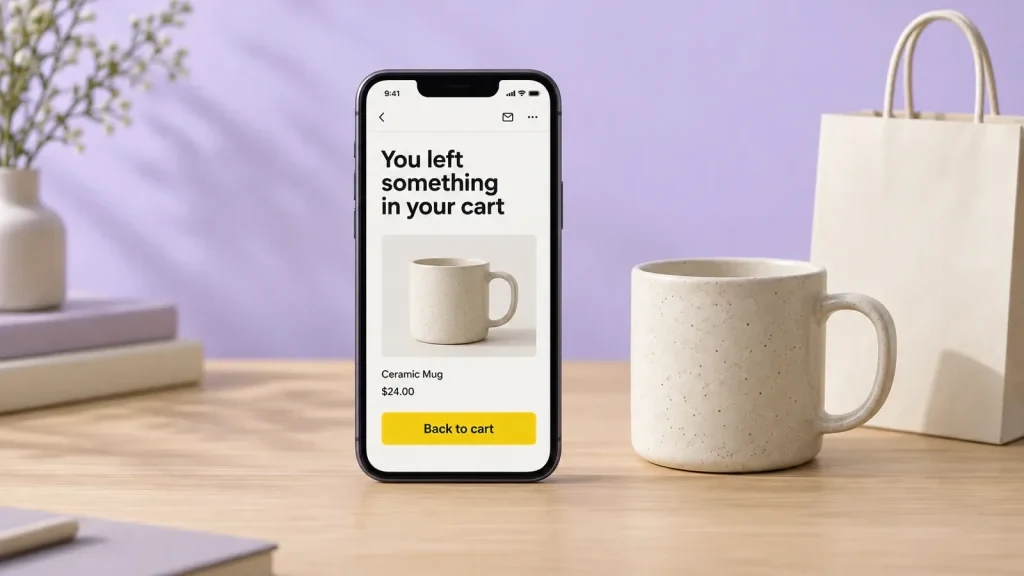
Most people who start a checkout leave before they pay. The Baymard Institute puts the average cart abandonment rate at 70.22%, based on 50 studies. Some of those shoppers only got distracted, and a short, friendly email can bring them back.
In this guide I’ll set up that email in Shopify and in WooCommerce. By the end you’ll have one to three automatic reminders running. Give it about 30 minutes.
Who gets the email, and when
Shopify’s marketing automations know three kinds of “abandoned”:
- Abandoned checkout. The shopper started checkout and gave an email address, but didn’t pay.
- Abandoned cart. They added something to the cart but never started checkout.
- Abandoned browse. They looked at a product and left.
Start with abandoned checkout. These shoppers were one step from paying, and you already have their email. Shopify counts a checkout as abandoned after 10 minutes without an order.
A common plan is three emails. Klaviyo suggests a reminder 2 to 4 hours after the shopper leaves, a follow-up at 24 hours and a last one at 48 hours. Shopify’s own advice is close to that: no discount in the first email, and an offer a day or two later. I’d start with one email, watch the results for a few weeks, then add the others.
Set it up in Shopify
Shopify’s email tool is now called Shopify Messaging. Go to Apps → Messaging → Automations and choose the Recover abandoned checkout template. If your store still uses the old setting under Settings → Checkout, Shopify offers a move to the new automation.
Three settings matter:
- The wait. The default is 10 hours. I’d bring it down to 2 to 4 hours, while the shopper still remembers the cart.
- Who it goes to. By default, only customers who subscribed to email marketing get it. Leave it like that. I’ll explain why below.
- The email itself. Add your logo, a friendly line and the cart items. The template links back to the checkout for you.
Here’s the nice part. Shopify Messaging pricing says abandoned checkout automations are free, and they don’t count toward your monthly email allowance. Free and useful. That doesn’t happen every day.
To see how it’s going, open Orders → Abandoned checkouts. Shopify also has an abandoned checkouts report with the orders and sales the emails brought back.
Set it up in WooCommerce
WooCommerce has no abandoned cart email that I’d rely on yet. Version 11.0 added an experimental one, switched off by default, and the WooCommerce 11.2 pre-release notes say it is being removed. So use a plugin. These are the ones I’d look at:
- CartBounty is free and sends one recovery email. More emails and coupons need the Pro version.
- Abandoned Cart Lite for WooCommerce is free, and saves the email address as the shopper types it at checkout.
- AutomateWoo is the official WooCommerce extension, at US$159 a year. It runs full email sequences and a lot more.
- Klaviyo makes sense if you already use it for newsletters. Its WooCommerce connection can send the same flows, but check the free plan limits first.
Most of these plugins save the email address before the order is placed. You collect it earlier than usual, so add a short note beside the email field. Something like “We’ll use your email for your order and, if you agree, to remind you about your cart.” Then link to your privacy policy. The OAIC guide to APP 5 explains what a collection notice should say.
Stay on the right side of the Spam Act
An abandoned cart email asks someone to buy, so treat it as marketing. In Australia, marketing emails and texts must follow the Spam Act:
- You need consent. A tick box at checkout that the shopper ticks themselves is the clearest way.
- Say who you are, with your business name and contact details.
- Include an unsubscribe link that works, and act on it within 5 working days.
The ACMA also warns that breaches can happen “even if a message is mostly ‘factual'”. That’s why I leave Shopify on subscribers only. I’m not a lawyer, so check with your adviser if you’re unsure.
Write an email people want to open
- A plain subject line, like “You left something in your cart”.
- A photo of each item, the price and one clear button back to the cart.
- A short answer to the usual worries about shipping cost, delivery time and returns.
- A discount only in a later email, if at all. Klaviyo warns that regular discounts can teach shoppers to wait for one.
In Baymard’s survey of US shoppers, extra costs like shipping and fees were the top reason to leave, at 40%. If your shipping price is a surprise at checkout, no email will fix that. Showing it earlier might.
After a month, compare recovered orders with abandoned checkouts. Klaviyo’s benchmark, based on 2023 data, found that 3.33% of people who got an abandoned cart email went on to place an order. If you’re near that, you’re doing fine. New to running a store? My Shopify getting started guide covers the basics.
If you’d like us to set up the emails, the tracking or the checkout itself, we can add it to your site.
Opens in a new tab


Comments
No comments yet. Questions, fixes and better ways are all welcome.