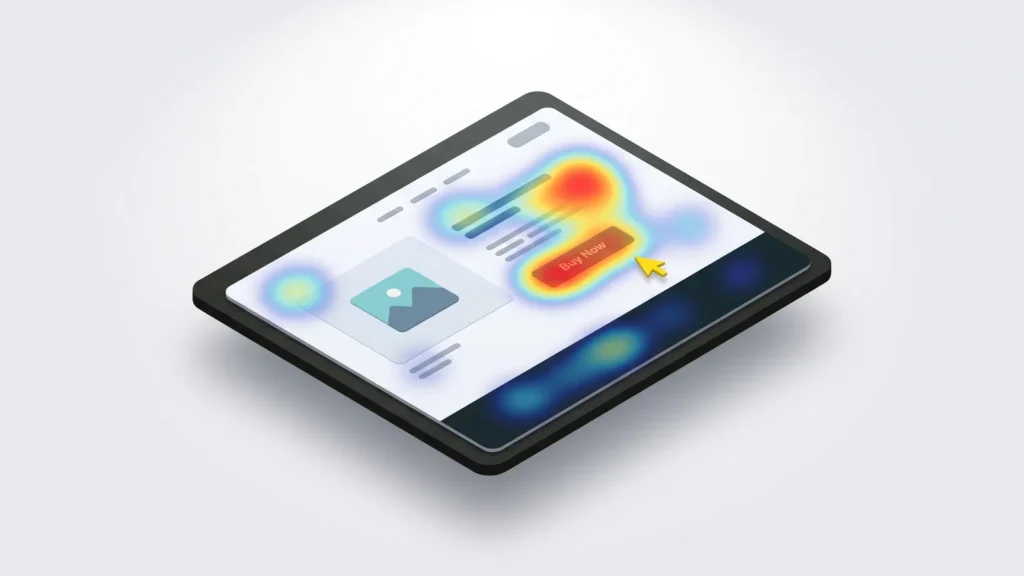
Stop guessing what your visitors do, and watch them instead. A heatmap shows where people click, how far they scroll and what they ignore. A session recording plays back a real visit, like CCTV for your website. With one free tool and about ten minutes, you can see why people leave without buying. Below I explain why this beats guessing, compare the three tools worth your time, and cover the one legal step most people miss.
You’ll need a website you can add a small code snippet to, like WordPress or Shopify. The main tool I recommend is free. First, let me show you what you’ve been missing.
Why real data beats a good guess
You know your site better than anyone, and that’s the problem. You know where every button is, so you never get lost. Your visitors do. They see your shop for the first time, on a phone, in a hurry.
Analytics like Google Analytics tell you what happened. One hundred people saw this page, three bought something. They don’t tell you why the other ninety-seven left. That “why” is where the money is. Watching real people use your site is like standing behind a shopper in a real store. You see them walk out because they couldn’t find the till.
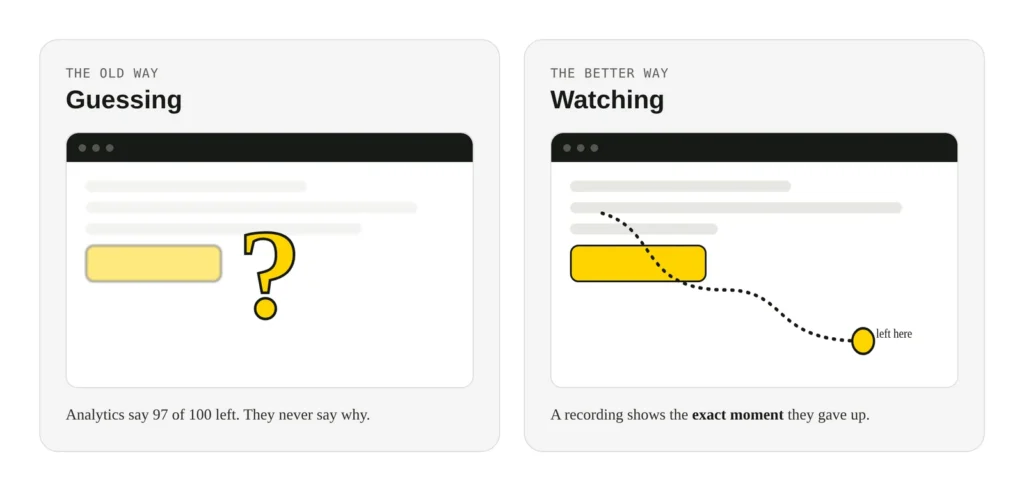
Here’s what this turns up again and again. People tap something that isn’t a button, because it looks like one. They never scroll to your “Add to cart” button, because a big image fills the first screen. They reach the checkout, then leave at the shipping cost. You can’t fix what you can’t see.
What heatmaps and recordings show you
These tools give you a few different views. Each one answers a different question about your page.
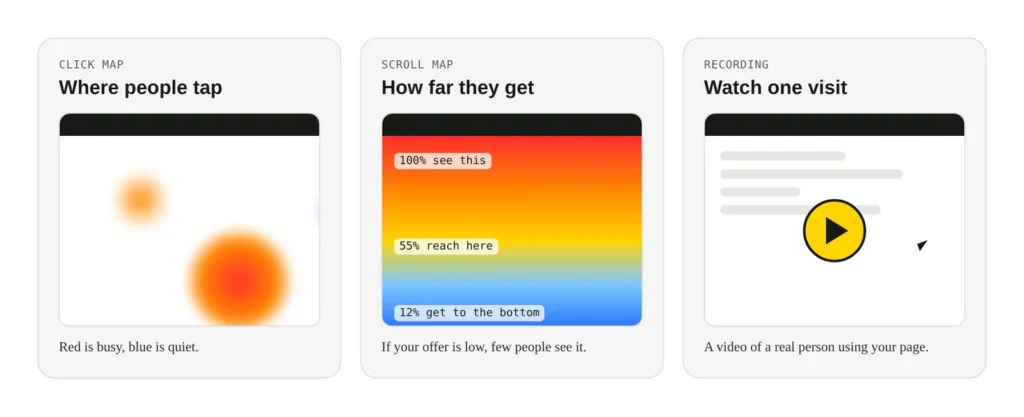
- Click maps. Hot colours show where people tap or click most. Red is busy, blue is quiet. If people keep clicking something that does nothing, that’s a sign they expect a link there.
- Scroll maps. These show how far down the page people get. If most visitors never reach your main offer, it’s too far down.
- Session recordings. A video of one real visit, with the mouse and taps shown. You watch where they slow down, go back, or give up. Rage clicks, where someone taps the same spot over and over, are easy to spot.
My advice is to start with scroll and click maps on your busiest pages. Then watch five or ten recordings of people who left without buying. You’ll spot a pattern fast.
The three tools worth your time
There are many of these tools. Three are worth your attention, and the one I reach for first is free. Use the picker below to find your match, then read the detail.
<div class="pick">
  <p class="pick__q">What matters most to you?</p>
  <div class="pick__opts">
    <label><input type="radio" name="need" id="r1" checked><span>I want it free, with no limits</span></label>
    <label><input type="radio" name="need" id="r2"><span>I want to ask visitors questions too</span></label>
    <label><input type="radio" name="need" id="r3"><span>I want saved snapshots and A/B tests</span></label>
  </div>
  <div class="ans ans--clarity">
    <p class="ans__name">Microsoft Clarity</p>
    <p class="ans__why">Free forever, no traffic limit. Heatmaps, recordings and plain-English summaries. My first pick for most shops.</p>
    <p class="ans__price">Cost: free</p>
  </div>
  <div class="ans ans--hotjar">
    <p class="ans__name">Hotjar</p>
    <p class="ans__why">Heatmaps and recordings, plus surveys and feedback buttons. Ask people why they left, right on the page.</p>
    <p class="ans__price">Cost: free plan, or from about US$32 a month</p>
  </div>
  <div class="ans ans--crazy">
    <p class="ans__name">Crazy Egg</p>
    <p class="ans__why">Strong on saved heatmap snapshots, with built-in A/B testing to compare two versions of a page.</p>
    <p class="ans__price">Cost: from US$29 a month (trial only, no free plan)</p>
  </div>
</div>
.pick{font-family:"DM Sans",system-ui,sans-serif;color:#171915;background:#F4F4F4;border:1px solid #D7D7D7;border-radius:16px;padding:22px;max-width:560px;margin:0 auto}
.pick__q{font-family:Manrope,system-ui,sans-serif;font-weight:800;font-size:17px;margin:0 0 14px}
.pick__opts{display:flex;flex-direction:column;gap:10px;margin-bottom:18px}
.pick label{display:flex;align-items:center;gap:11px;background:#fff;border:1px solid #D7D7D7;border-radius:11px;padding:12px 14px;cursor:pointer;font-size:15px;transition:border-color .15s,box-shadow .15s}
.pick label:hover{border-color:#171915}
.pick input{appearance:none;-webkit-appearance:none;width:20px;height:20px;border:2px solid #9a9b94;border-radius:50%;flex:0 0 auto;margin:0;cursor:pointer;transition:border-color .15s}
.pick input:checked{border-color:#171915;background:
radial-gradient(circle,#FFD400 0 6px,#fff 6px 8px,#FFD400 8px)}
.pick label:has(input:checked){border-color:#171915;box-shadow:0 0 0 2px #FFD400}
.ans{display:none;background:#fff;border:1px solid #D7D7D7;border-left:5px solid #FFD400;border-radius:12px;padding:16px 18px}
.ans__name{font-family:Manrope,sans-serif;font-weight:800;font-size:19px;margin:0 0 6px}
.ans__why{margin:0 0 8px;font-size:15px;line-height:1.5;color:#2b2d27}
.ans__price{margin:0;font-family:"Space Mono",monospace;font-size:13px;color:#5C5E57}
.pick:has(#r1:checked) .ans--clarity{display:block}
.pick:has(#r2:checked) .ans--hotjar{display:block}
.pick:has(#r3:checked) .ans--crazy{display:block}Microsoft Clarity is free, with no limit on how many visits it records. It does heatmaps and recordings well, and adds plain-English summaries of what it saw. For most shop owners, this is all you need. It’s my first pick, and the price makes it easy to try.
Hotjar does the same heatmaps and recordings, and adds surveys and feedback buttons. You can ask a visitor “what stopped you buying today?” right on the page. Its free plan is small, so busy sites move to a paid plan.
Crazy Egg is the oldest of the three. It’s strong on heatmap “snapshots” you can save and share. It also has built-in A/B testing. You show two versions of a page, and see which sells more. There’s no free plan beyond a trial, so it suits sites ready to spend.
What each one costs
Here are the plans at the time of writing, in US dollars. Prices change, so check each site before you sign up. Paid plans are usually cheaper when you pay for a year at once.
| Tool | Free plan | Entry paid plan | Best for |
|---|---|---|---|
| Microsoft Clarity | Yes, no traffic limit | Free, no paid tiers | Almost everyone, to start |
| Hotjar | Yes, about 35 visits a day | From about US$32 a month | Adding surveys and feedback |
| Crazy Egg | Trial only | US$29 a month | Saved snapshots and A/B tests |
If you only remember one thing: install Microsoft Clarity this week. It’s free, it’s owned by Microsoft, and you can always move up later. Pay for Hotjar or Crazy Egg once you know what you want to ask or test.
Yes, you must mention it in your privacy policy
This is the step people skip, and it matters. A session recording can capture what someone types into a form, so it collects personal information. Under Australian privacy law, that comes with duties.
The Australian Privacy Principles ask covered businesses to have a clear privacy policy, and to tell people what you collect and why. If your business turns over more than A$3 million a year, the Privacy Act applies to you. Many smaller businesses are exempt for now, but that exemption is under review, and some are covered anyway, like health providers. I’m not a lawyer, so check with an adviser if you’re unsure.
The safe and fair thing to do is simple, and good tools make it easy:
- Name the tool in your privacy policy. Say you use Microsoft Clarity, Hotjar or Crazy Egg to see how people use the site, and link their privacy page.
- Keep sensitive fields hidden. All three tools mask passwords and card numbers by default. Check that setting is on, and mask any other private field.
- Ask first if you use a cookie banner. If your site asks about cookies, let people turn recording off there too.
A short, honest privacy policy keeps you on the right side of this. It also builds trust, which is good for sales anyway.
Turn it on, then come back in a week
Install your tool, add the code snippet to your site, and leave it for a week to gather data. On WordPress, a free plugin or your theme’s header setting adds the snippet. On Shopify, you paste it into your theme, or use the tool’s own app. Then open the dashboard and look at your top three pages.
Watch for the quick wins: a button nobody reaches, a link people expect that isn’t there, a form field that makes people quit. Fix one thing, then check the maps again in a week. Small changes, backed by real data, add up.
If you’d like us to set this up and turn your findings into real fixes, our site updates service covers it.
Opens in a new tab


Comments
No comments yet. Questions, fixes and better ways are all welcome.