Cloudflare Pages puts a website online for free, straight from a folder of files or a GitHub project. You push your code, and a few seconds later your site is live on Cloudflare’s network, with HTTPS and a free address. Below I explain how it works and what people use it for. Then we build a small site together and put it live, step by step. I also cover one big change in 2026 that most guides haven’t caught up with yet.
What Cloudflare Pages is
Pages is a hosting service for static websites. A static site is a set of ready-made files, like HTML, CSS, images and JavaScript, that look the same for every visitor. There’s no database and no PHP running on a server. That makes these sites fast, cheap to run and much harder to hack.
Here’s how a site gets from your computer to the world:
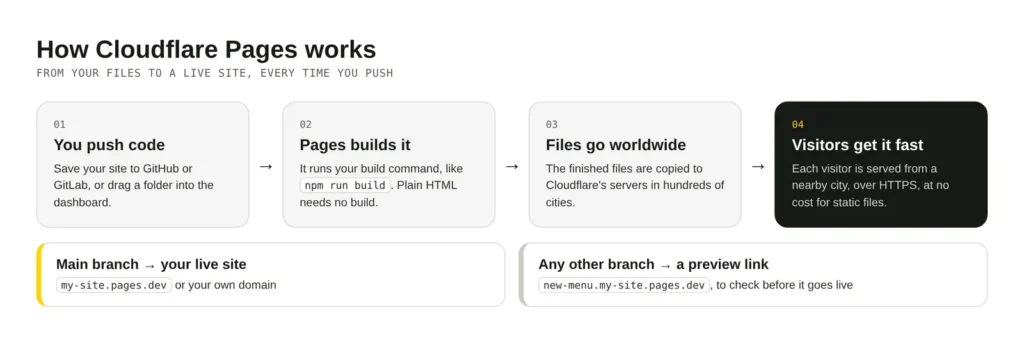
The free plan is generous. Requests to your static files are “free and unlimited”, on free and paid plans alike. You get 500 builds a month, free HTTPS and your own .pages.dev address. A build is one round of turning your code into the finished site. With 500 a month, you can update your site more than 15 times a day. That’s more changes than most of us make to our sites in a year.
Pages can also run small pieces of server code, called Pages Functions. You’d use them to handle a contact form or check a login. Those requests come out of your Workers allowance, which is 100,000 a day on the free plan.
What you can build with it
Anything that can be a folder of files. These are the most common uses:
- Portfolios, landing pages and small business sites that rarely change.
- Sites built with tools like Astro, Hugo, Next.js or Vite, which turn your code into static files.
- Documentation sites, where every edit gets checked on a preview link before it goes live.
- Campaign pages for a product launch, separate from your main website.
- A fast front page for a shop or app, with the real shop living somewhere else.
Those preview links are my favourite feature. Every branch you push gets its own address. You can send a colleague a link to the new version before anyone else sees it. Cloudflare has used this for its own developer docs. Their test builds have appeared on addresses like 03544d2c.cloudflare-docs-github.pages.dev. It’s a bit like a dress rehearsal for every change, with no audience.
Build a small site and put it live
Let’s make a one-page site for a made-up coffee cart, then put it online. You need a free Cloudflare account and a code editor. If you’re new to Cloudflare, my Cloudflare 101 guide walks through the account setup. Make a folder called my-site with these files in it:
my-site/
├── index.html
├── menu.html
├── 404.html
├── style.css
├── _redirects
└── _headers
The home page is plain HTML. Nothing special is needed for Pages:
<!doctype html>
<html lang="en">
<head>
  <meta charset="utf-8">
  <meta name="viewport" content="width=device-width, initial-scale=1">
  <title>Saturday Coffee Cart</title>
  <link rel="stylesheet" href="/style.css">
</head>
<body>
  <main>
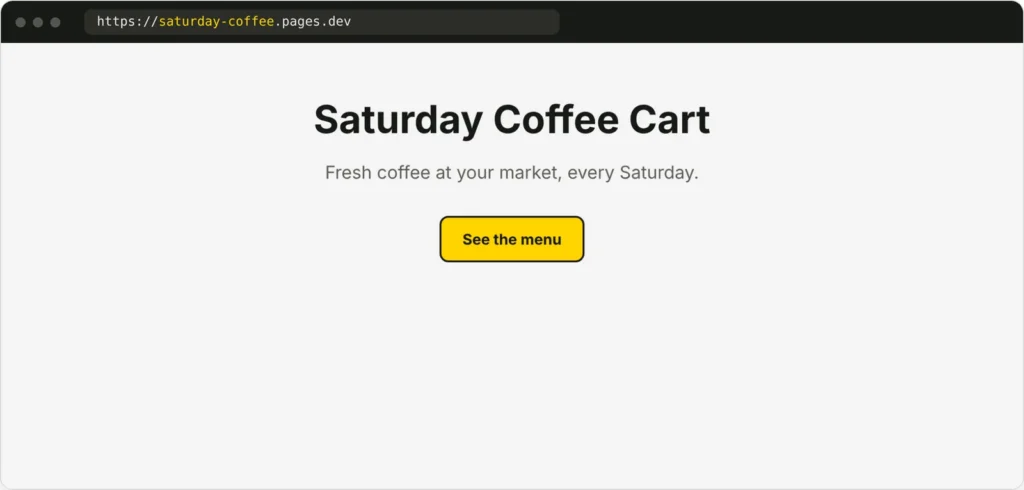
    <h1>Saturday Coffee Cart</h1>
    <p>Fresh coffee at your market, every Saturday.</p>
    <a class="button" href="/menu">See the menu</a>
  </main>
</body>
</html>
Notice the link goes to /menu, not /menu.html. Pages serves menu.html at the cleaner address for you. Add a short menu.html and a 404.html for missing pages in the same way. Now pick one of three ways to put it live.
Option 1: drag and drop
- In the Cloudflare dashboard, go to Workers & Pages → Create application.
- Click Get started, then choose Drag and drop your files.
- Type a project name, like
saturday-coffee. - Drag your
my-sitefolder onto the page, then click Deploy site.
That’s it. Your site is now live at an address like saturday-coffee.pages.dev. Drag and drop takes up to 1,000 files. It’s great for a first try, but you have to upload again for every change.
Option 2: connect GitHub (the one I’d use)
- Put your
my-sitefolder in a GitHub or GitLab repository. - In the dashboard, go to Workers & Pages → Create application → Pages → Connect to Git.
- Pick your repository, then click Begin setup.
- Set the production branch to
main. For plain HTML, leave the framework preset as none and the build command empty. - Click Save and Deploy.
From now on, every push to main updates your live site. Every other branch gets a preview link. If you use a framework like Astro or Vite, pick it from the framework list and Pages fills in the build settings for you.
Option 3: deploy from the terminal
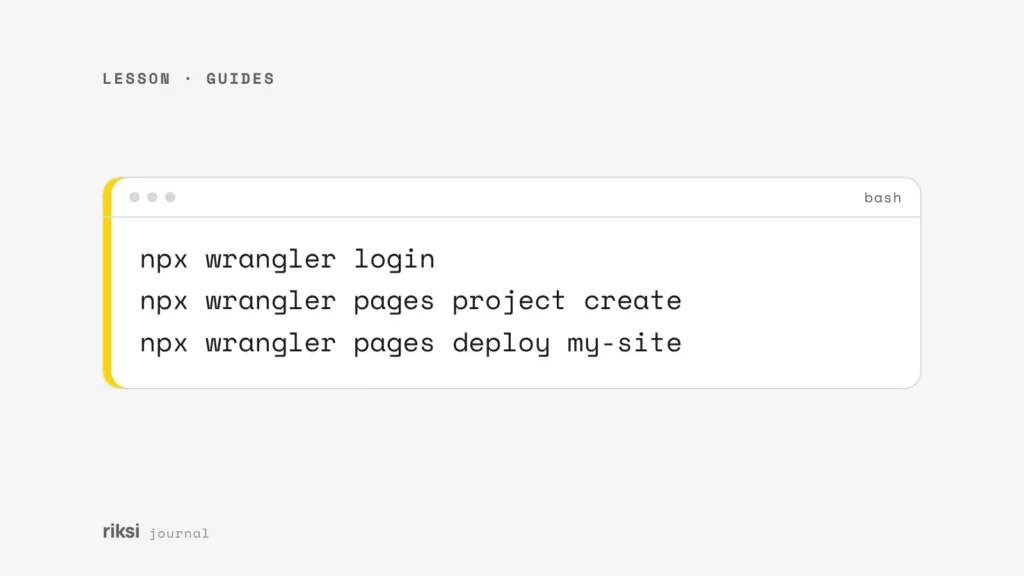
If you like the command line, Cloudflare’s wrangler tool does the same job. You need Node.js installed. Run these from the folder above my-site:
npx wrangler login
npx wrangler pages project create
npx wrangler pages deploy my-site
The first command opens your browser to sign in. The second asks for a project name. The third uploads the folder and prints your live address.
Add your own domain, redirects and headers
A .pages.dev address is fine for testing, but customers expect your own domain. In the dashboard, open your project and go to Custom domains → Set up a domain, then follow the steps. Two things are worth knowing:
- A subdomain like
shop.example.comcan stay with your current DNS provider. You add one CNAME record that points tosaturday-coffee.pages.dev. Add the domain in the Pages dashboard before you add the record, or visitors see an error. - A main domain like
example.comneeds its DNS moved to Cloudflare first.
Pages also reads two plain text files from your folder. The _redirects file sends old addresses to new ones. Each line is the old path, the new path and a status code:
/drinks  /menu  301
/old-shop  https://shop.example.com  301
The _headers file adds headers to every response. Headers are extra instructions your server sends with each page. These two lines add some basic security for free:
/*
  X-Content-Type-Options: nosniff
  Referrer-Policy: strict-origin-when-cross-origin
Once it’s live, you can check both are working with my guide on checking redirects and headers with curl. A 301 is like leaving a forwarding address when you move house, so search engines follow you to the new page.
Pages or Workers: Cloudflare’s new advice
Here’s the change most guides miss. Cloudflare’s own Pages docs now show a banner that says “Start new projects with Workers”. Workers is Cloudflare’s main platform for running code, and it can now host static files too. New features land there first.
Don’t panic, though. Pages isn’t being switched off, and I found no end date anywhere. It also has one thing Workers doesn’t: it can serve a subdomain while your DNS stays with another company. Try the picker to see which fits you:
<div class="pick">
  <p class="pick__q">Which one fits your project?</p>
  <div class="pick__opts">
    <label><input type="radio" name="c" id="c1" checked><span>A simple site on a subdomain, and my DNS is with another company</span></label>
    <label><input type="radio" name="c" id="c2"><span>A brand-new project, and my domain is already on Cloudflare</span></label>
    <label><input type="radio" name="c" id="c3"><span>I need scheduled jobs, queues or detailed logs</span></label>
    <label><input type="radio" name="c" id="c4"><span>My site is already on Pages and works fine</span></label>
  </div>
  <div class="ans a1"><p class="ans__name">Cloudflare Pages</p><p class="ans__why">Pages can serve a subdomain like shop.example.com with one CNAME record, while your DNS stays where it is. Workers can't do that.</p></div>
  <div class="ans a2"><p class="ans__name">Workers, with static assets</p><p class="ans__why">This is what Cloudflare now suggests for new projects. Pages would still work, but new features land on Workers first.</p></div>
  <div class="ans a3"><p class="ans__name">Workers</p><p class="ans__why">Scheduled jobs, queues, logs and gradual rollouts are Workers features. Pages doesn't have them.</p></div>
  <div class="ans a4"><p class="ans__name">Stay on Pages</p><p class="ans__why">Pages isn't being switched off. If you need a Workers feature later, Cloudflare has an official guide for moving.</p></div>
</div>
.pick{font-family:"DM Sans",system-ui,sans-serif;color:#171915;background:#fff;border:1px solid #D7D7D7;border-radius:16px;padding:20px;max-width:580px;margin:0 auto}
.pick__q{font-family:Manrope,system-ui,sans-serif;font-weight:800;font-size:17px;margin:0 0 14px}
.pick__opts{display:flex;flex-direction:column;gap:9px;margin-bottom:16px}
.pick label{display:flex;align-items:center;gap:11px;background:#F4F4F4;border:1px solid #D7D7D7;border-radius:11px;padding:11px 14px;cursor:pointer;font-size:15px;line-height:1.35}
.pick label:hover{border-color:#171915}
.pick input{appearance:none;-webkit-appearance:none;width:20px;height:20px;border:2px solid #9a9b94;border-radius:50%;flex:0 0 auto;margin:0;cursor:pointer;background:#fff}
.pick input:checked{border-color:#171915;background:radial-gradient(circle,#FFD400 0 6px,#fff 6px 8px,#FFD400 8px)}
.pick input:focus-visible{outline:3px solid #171915;outline-offset:2px}
.pick label:has(input:checked){border-color:#171915;box-shadow:0 0 0 2px #FFD400;background:#fff}
.ans{display:none;background:#171915;color:#fff;border-radius:12px;padding:14px 16px}
.ans__name{font-family:Manrope,sans-serif;font-weight:800;font-size:19px;margin:0 0 4px;color:#FFD400}
.ans__why{margin:0;font-size:15px;line-height:1.5;color:#e8e8e3}
.pick:has(#c1:checked) .a1,.pick:has(#c2:checked) .a2,.pick:has(#c3:checked) .a3,.pick:has(#c4:checked) .a4{display:block}If you start on Pages and outgrow it, Cloudflare has an official guide for moving to Workers. Your _redirects and _headers files work on both, so the coffee cart files above would stay the same. You’d only add a small settings file.
Limits and gotchas
These are the free plan limits at the time of writing, from Cloudflare’s limits page:
| What | Free plan limit |
|---|---|
| Builds per month | 500, one at a time |
| Time for one build | 20 minutes |
| Files in one site | 20,000 (100,000 on paid plans) |
| Size of one file | 25 MiB |
| Custom domains per project | 100 |
| Projects per account | 100 |
Redirects in _redirects |
2,100 (2,000 simple and 100 with patterns) |
A few things catch people out:
- The 25 MiB file limit means big videos don’t fit. Host those on YouTube, Vimeo or Cloudflare’s own storage. My post on image hosting with R2 covers the storage side.
- A project connected to Git can’t switch to drag and drop later. Pick your method before you start.
- Old preview links are deleted after 30 days, unless they’re among your 100 most recent. So don’t share a preview link and expect it to last forever.
- Pages hosts files, not WordPress. A WordPress site needs PHP and a database, so it needs normal hosting.
For a small business site, a landing page or a portfolio, Pages is one of the easiest free options around. If you’d like us to move a site onto Cloudflare and set up your domain properly, our site updates service covers it.
Opens in a new tab


Comments
No comments yet. Questions, fixes and better ways are all welcome.