Compile Sass (SCSS) with PHP using scssphp
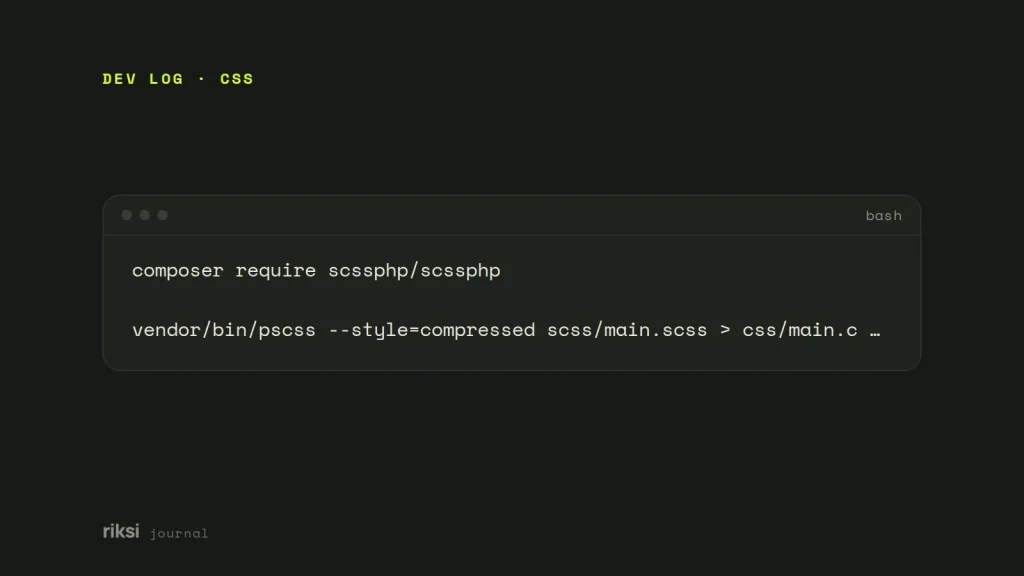
You want to use Sass in a PHP project, but there’s no Node.js build step to run it. scssphp is a Sass compiler written in PHP. It lets a PHP application or WordPress theme turn .scss files into CSS without Node.js. Install it with Composer (composer require scssphp/scssphp), point the compiler at your stylesheet, and save the result as a CSS file.
The rule I follow is simple. Compile once and cache the output. Never compile on every page request.
When compiling in PHP makes sense
I’d reach for it in these cases.
- Themes or plugins that let editors change colours and fonts in the admin, then rebuild the stylesheet with those values.
- Hosting where you can’t run Node.js as part of a build.
- Small projects where a whole JavaScript toolchain is more than you need.
If you already have a Node build step, I’d use Dart Sass. It’s the reference implementation, so it gets new Sass features first. The other compilers, scssphp included, get them later. LibSass and node-sass are deprecated, so don’t start new work on them.
Install
Run this in your project folder.
composer require scssphp/scssphpThen load Composer’s autoloader in your code (require __DIR__ . '/vendor/autoload.php';). Older tutorials include a scss.inc.php file by hand. You don’t need that any more. If a tutorial tells you to include files by hand, check how old it is.
Compile a file
<?php
require __DIR__ . '/vendor/autoload.php';

use ScssPhp\ScssPhp\Compiler;
use ScssPhp\ScssPhp\OutputStyle;

$compiler = new Compiler();
$compiler->setImportPaths( __DIR__ . '/scss' );          // where @use/@import look
$compiler->setOutputStyle( OutputStyle::COMPRESSED );      // minified output

$result = $compiler->compileString( file_get_contents( __DIR__ . '/scss/main.scss' ) );

file_put_contents( __DIR__ . '/css/main.css', $result->getCss() );
compileString() returns a result object, and getCss() gives you the stylesheet. Set the import path so that @use 'variables'; and partials such as _buttons.scss are found. A partial is a Sass file whose name starts with an underscore, meant to be included in another file. It’s like a chapter that only makes sense inside the book. OutputStyle::EXPANDED gives readable output while you develop.
Pass in variables
The main reason to compile in PHP is to feed in values from settings. Override Sass variables before compiling.
use ScssPhp\ScssPhp\ValueConverter;

$compiler->addVariables( array(
	'brand' => ValueConverter::parseValue( get_option( 'brand_colour', '#171915' ) ),
	'radius' => ValueConverter::parseValue( '14px' ),
) );
In the SCSS, declare them with !default, so the file still compiles on its own. For example, $brand: #333 !default;. Be careful with values that come from a user. Check each one before you pass it in. A colour field should only ever contain a colour.
Cache the result
Compiling takes time, from tens of milliseconds to seconds on a big stylesheet. So only rebuild when a source file or a setting changes. Until a file or a setting changes, the CSS for the hundredth visitor is the same as for the first.
function riksi_build_css( string $src, string $out ): string {
	$latest = max( array_map( 'filemtime', glob( dirname( $src ) . '/*.scss' ) ) );

	if ( ! file_exists( $out ) || filemtime( $out ) < $latest ) {
		$compiler = new \ScssPhp\ScssPhp\Compiler();
		$compiler->setImportPaths( dirname( $src ) );
		file_put_contents( $out, $compiler->compileString( file_get_contents( $src ) )->getCss() );
	}
	return $out;
}
In WordPress, I prefer to compile when the settings page is saved. It’s a better trigger. Write the file to wp-content/uploads. Then enqueue it with its modification time as the version, so browsers pick up the change.
Wrap the compile call in try and catch ( \ScssPhp\ScssPhp\Exception\SassException $e ). Then a typo in the SCSS shows a message instead of a blank stylesheet. I wouldn’t ship this without it.
From the command line
scssphp also comes with a command-line tool. It’s useful in deploy scripts.
vendor/bin/pscss --style=compressed scss/main.scss > css/main.cssThings scssphp does differently
scssphp follows the Sass language closely. But it’s sometimes behind Dart Sass on the newest features. If you rely on something recent, such as the latest colour functions, check its release notes. Source maps are supported, but they’re off by default.
Also, because it runs inside PHP, very large stylesheets can hit the PHP memory or time limit. That’s one more reason to compile ahead of time.
My view is that scssphp is the right tool when PHP is all you have, or when settings need to change the CSS. For everything else, I’d stay with Dart Sass. Either way, the browser only sees CSS. It has no idea which tool made it.


Comments
No comments yet. Questions, fixes and better ways are all welcome.